Best adapters
BimmerCode adapter · Bluetooth 5.1 LE

OBDLink CX

The OBDLink CX is built for one job above all: coding BMWs and Minis in BimmerCode from an iPhone or Android phone. It also reads and clears check-engine codes on other cars through the included OBDLink app.

  • Made forBimmerCode (app sold separately)
  • ConnectionBluetooth 5.1 LE
  • PhonesiPhone, iPad and Android
  • ChipOBDLink STN, speaks the ELM327 command set
  • Left plugged inAdvanced sleep mode, over-voltage protection
  • WindowsNot supported
Works well for
  • BMW and Mini owners coding in BimmerCode, including newer models
  • iPhone owners who want in-app pairing with no settings fuss
  • Drivers who want to leave the adapter in the port
Avoid if
  • Ford owners who need FORScan with MS-CAN
  • Anyone planning to use Windows PC software
  • Drivers who want one adapter for several brands' deep diagnostics
Check it out

You bought BimmerCode and need an adapter that won't drop out mid-code

Coding is not the same job as reading codes. When BimmerCode changes a setting, it reads a module's configuration, edits it and writes it back. If the Bluetooth link drops halfway through that write, the module can be left in a confused state. The OBDLink CX is designed around that risk: OBDLink promises a steady connection that avoids corrupted data and dropped packets, and says it won't brick your ECU.

That is why the BimmerCode team recommends it, and why OBDLink states it covers every vehicle, protocol and advanced feature BimmerCode supports. Some budget BLE adapters stop short there. The Veepeak OBDCheck BLE, for example, cannot code pre-2008 cars or the G and U series in BimmerCode.

Inside, the CX uses OBDLink's own STN chip rather than an ELM327 clone. STN chips speak the ELM327 command set, so the CX behaves like a familiar adapter to apps, with OBDLink's own extensions for speed and stability.

  • Link: Bluetooth 5.1 Low Energy, which iPhones and Android phones can both use.
  • Apps: BimmerCode (bought separately) and the included OBDLink app.
  • Not included: Windows support, so PC coding tools are out.

Newer BMWs are exactly the cars where adapter choice matters most. If you own an F-series, G-series or a modern Mini and plan to change more than a couple of settings, a coding-grade adapter is cheap insurance compared with a trip to the dealer. Popular changes such as folding mirrors on lock, disabling the start-stop memory or changing the seatbelt chime all involve writes to body modules. The chip question in more depth sits in what ELM327 means.

Details

Technical details

SpecValue
BrandOBDLink
ModelCX101
ChipOBDLink STN family, ELM327 command set compatible
Wireless linkBluetooth 5.1 Low Energy
Operating systemsiOS and Android
WindowsNot supported
PairingIn-app, on iOS and Android
BimmerCode coverageAll vehicles, protocols and features BimmerCode supports
Included appOBDLink app: live data, diagnostics, clear check-engine light
SleepAdvanced sleep mode for leaving it plugged in
ProtectionOver-voltage protection
PowerFrom the vehicle's OBD-II port
Size1.8 × 1.3 × 0.9 in
In the boxScanner, quick start guide, warranty card, compliance insert

Pairing the CX inside the app, not in your iPhone settings

The most common first-day problem with any BLE adapter is pairing it the old way. Classic Bluetooth dongles are paired in the phone's settings menu; BLE adapters like the CX are found from inside the app. OBDLink designed the CX for easy in-app pairing on both iOS and Android, so skip the settings menu entirely. If you already paired it there by mistake, forget the device in settings and start again from the app.

  1. Plug the CX into the OBD-II port, usually under the dash on the driver's side.
  2. Switch the ignition on; on push-button BMWs, press start without your foot on the brake.
  3. Open BimmerCode or the OBDLink app and choose OBDLink CX as the adapter.
  4. Let the app find the adapter and connect, then let it read the car before you change anything.
Before you code: before a long coding session, connect a battery charger or maintainer. BimmerCode keeps the ignition on for a while, and low voltage causes more failed codings than adapters do.

BimmerCode offers to back up the original coding before you change a module. Take that backup every time. If a change does not suit you, restoring the original is quick.

A few settings need the car awake and some need specific conditions, like doors closed or lights off. BimmerCode tells you when. If the app cannot see the adapter at all, the fix is usually closing the app completely, unplugging the CX for a few seconds and trying again. The first-connection walkthrough covers more connection fixes that apply to any Bluetooth adapter.

Across the range

Compared with the field

ELM327 OBD2 adapter models by type, September 2026. Highlighted: OBDLink CX.

Parked in the garage for a month with the CX still plugged in

Lots of BMW owners want to leave the adapter in the port so they can open BimmerCode or check a code any time. That is a fair plan with the CX. OBDLink gives it an advanced sleep mode and over-voltage protection, and says outright that it can be left plugged in.

Sleep mode means the adapter drops into a low-power state when the car shuts down, instead of drawing current all night the way many cheap clones do. Over-voltage protection guards it against spikes from a jump start or a charging fault.

Common sense still applies. A car that sits for weeks with an ageing battery will lose charge from its own modules regardless, so a maintainer is the real fix there. The CX is not the thing that flattens it.

Leaving it in also has a practical upside for coding. Some owners make one change, drive for a day, then decide whether to keep it. With the adapter already in the port, trying a setting and reverting it takes a minute.

The included OBDLink app on any car

The CX is not locked to BMW. The OBDLink app comes with it and works on OBD-II cars in general.

  • Read and clear check-engine codes.
  • Watch live parameters such as coolant temperature, engine load and fuel trims.
  • Run diagnostics on the family's other car without buying a second adapter.

What the CX does not promise is deep brand-specific diagnostics on Fords, GMs or Toyotas. OBDLink reserves its broadest OEM coverage and extra buses for the MX+. If your household has a BMW and a Ford that needs FORScan body modules, one CX will not cover both jobs. The car compatibility breakdown shows which brands need which kind of adapter.

Other picks

Three alternatives

1 OBDLink MX+
BMW plus other brands OBDLink MX+
The OBDLink MX+ adds Windows, FORScan with MS-CAN, AlfaOBD and enhanced OEM data for several brands.
  • Bluetooth connection
  • Works with iPhone, Android, Windows
  • FORScan-ready (HS/MS-CAN)
Check it out
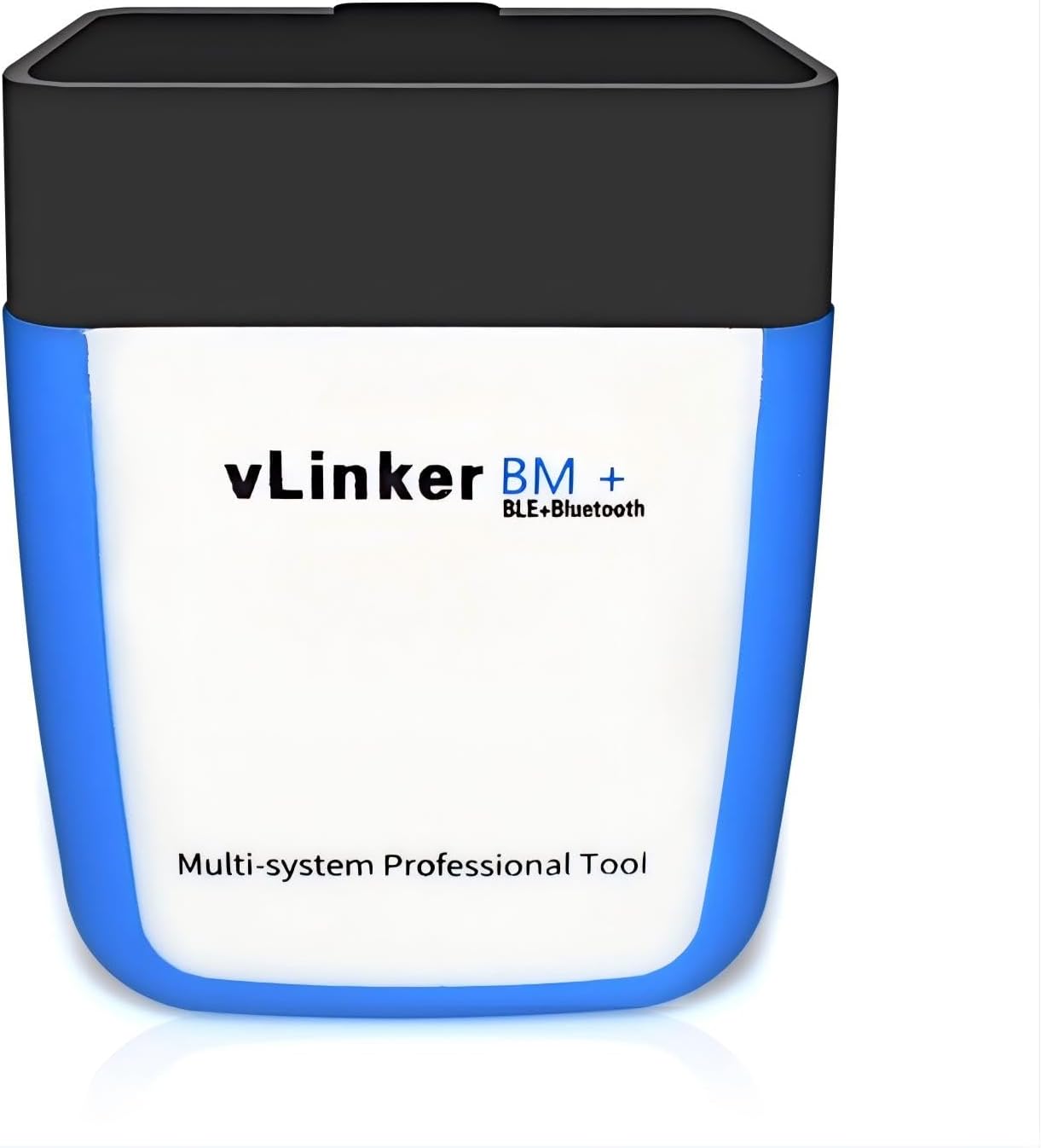
2 Vgate vLinker BM+
Vgate's BMW adapter Vgate vLinker BM+
The vLinker BM+ is sold for BMW and Mini BimmerCode and works with iOS, Android and Windows.
  • Bluetooth connection
  • Works with iPhone, Android, Windows
  • BMW / BimmerCode ready
Check it out
3 Veepeak OBDCheck BLE
Older BMWs on a budget Veepeak OBDCheck BLE
The Veepeak OBDCheck BLE codes 2008+ BMWs in BimmerCode, excluding G and U series cars.
  • Bluetooth LE connection
  • Works with iPhone, Android
  • BMW / BimmerCode ready
Check it out

Coding a BMW: the CX against the MX+, a vLinker and a budget BLE

BMW owners have more adapter choices than most, and they are not interchangeable. The things to weigh are which BimmerCode features your model needs, whether you also want Windows or other brands, and how much risk you accept during a coding write.

AdapterBimmerCode coverageiPhoneWindows
OBDLink CXEverything BimmerCode supportsYesNo
OBDLink MX+Recommended by BimmerCodeYesYes
Vgate vLinker BM+Sold for BMW and Mini BimmerCodeYesYes
Veepeak OBDCheck BLE2008+ only, no G or U seriesYesNo

The MX+ makes sense if you also run FORScan, AlfaOBD or Windows software. The vLinker BM+ is Vgate's BMW-focused adapter and adds Windows. The Veepeak covers older F-series coding on a smaller budget but stops at the newer platforms.

Remember that the adapter is a one-time purchase while BimmerCode is paid separately. Spending a little more on the hardware that BimmerCode's own team recommends protects the time you invest in the app.

  • Pick the CX for a newer BMW or Mini, an iPhone, and BimmerCode as the main app.
  • Pick the MX+ if the garage also holds a Ford, GM or Fiat you want to dig into.
  • Pick a cheaper BLE adapter only if your car is an older F-series and you accept the gaps.

Two last checks, and both take a minute. Open BimmerCode, look up your exact model and see which features it offers. Then confirm with OBDLink's troubleshooting guide that your car is covered. A wider head-to-head of the major brands is in ELM327 vs OBDLink vs Vgate.

Driver questions

Compatibility questions

Does the OBDLink CX work with iPhone?

Yes. It uses Bluetooth 5.1 Low Energy and pairs inside the app on iPhone, iPad and Android.

Is BimmerCode included with the OBDLink CX?

No. The BimmerCode app is bought separately. The OBDLink app for general diagnostics is included.

Does the CX work on non-BMW cars?

Yes for general diagnostics through the OBDLink app, such as reading and clearing check-engine codes and live data. Its focus is BMW and Mini coding.

Can I use the OBDLink CX with FORScan or a Windows laptop?

It is not a Windows adapter, and OBDLink does not claim MS-CAN for it. For Ford FORScan work, the MX+ or a USB cable fits better.

Can I leave the CX plugged in?

Yes. It has an advanced sleep mode and over-voltage protection designed for leaving it in the port.