Best adapters

ELM327 Bluetooth OBD2 Adapter: Classic vs BLE for iPhone and Android

Why one Bluetooth ELM327 pairs with any phone and another only with Android, and what Bluetooth 4.0 or 5.0 on the box really tells you.

Last updated September 2026
Quick answer

For an iPhone, get an ELM327 Bluetooth adapter that uses Bluetooth LE (BLE) and connect from inside the app. For Android, Classic Bluetooth works too and is often cheaper. A 4.0 or 5.0 on the box names the radio, not the mode, so look for BLE or iOS by name.

  • iPhone or iPad: BLE, Wi-Fi, or Apple-certified like the OBDLink MX+
  • Android: Classic or BLE
  • Windows laptop: Classic Bluetooth or a USB cable
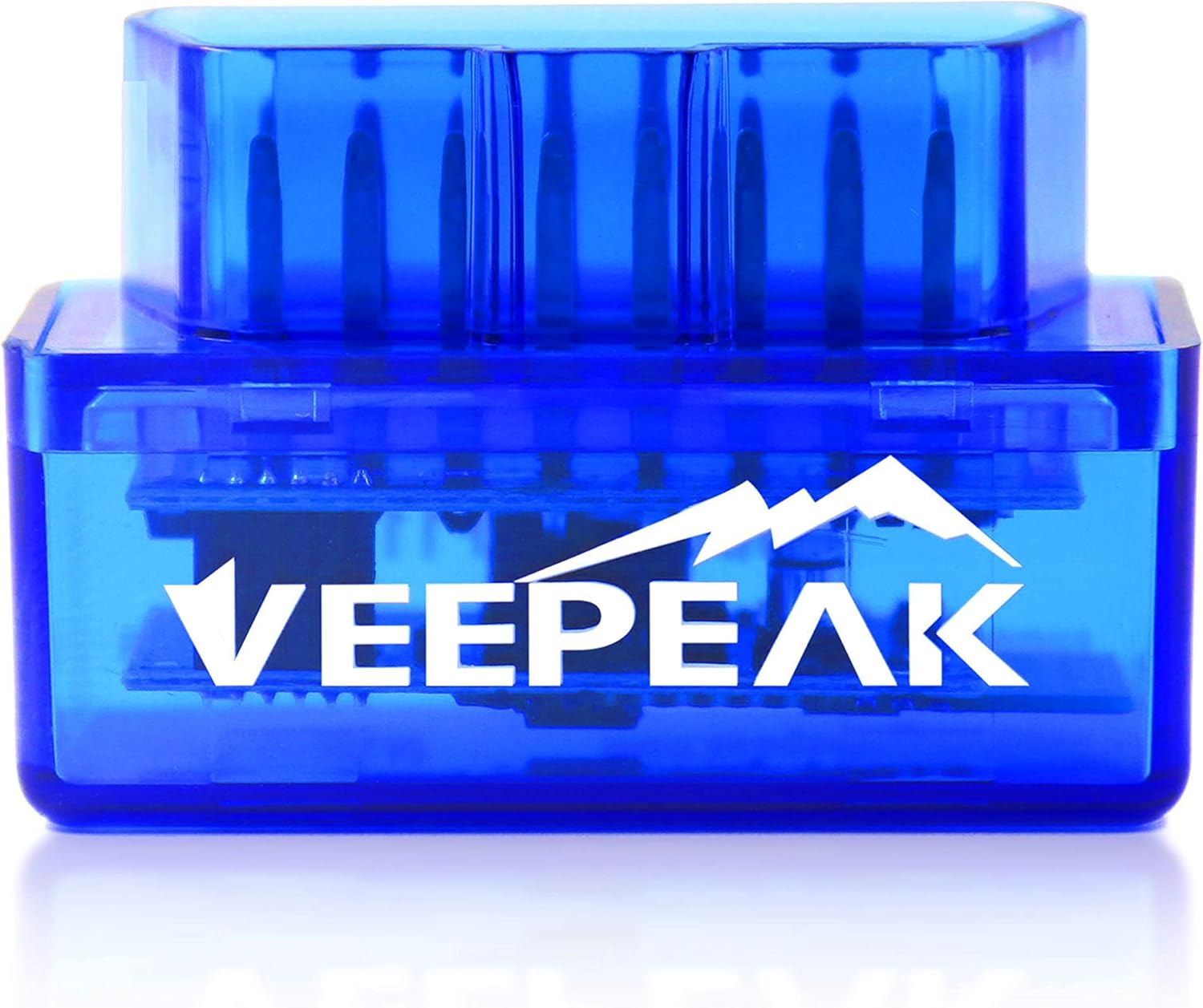
1 Veepeak OBDCheck BLE
Best for iPhone and Android Veepeak OBDCheck BLE
Bluetooth LE adapter that connects from inside Car Scanner, OBD Fusion or Torque
  • Bluetooth LE connection
  • Works with iPhone, Android
  • BMW / BimmerCode ready
Check it out
2 OBDLink MX+
Best for phone plus laptop OBDLink MX+
Pairs with iPhone, Android and Windows and adds enhanced data for major makes
  • Bluetooth connection
  • Works with iPhone, Android, Windows
  • FORScan-ready (HS/MS-CAN)
Check it out
3 Veepeak Mini (Android)
Best cheap Android-only Veepeak Mini (Android)
Classic Bluetooth dongle for Android phones and tablets that reads engine codes and live data
  • Bluetooth connection
  • Works with Android
  • Android only - not for iPhone
Check it out

Your new dongle will not show up on the iPhone

It is the most common Bluetooth complaint at the counter: the adapter lights up, Android sees it, the iPhone does not. Nothing is broken. The cause is the kind of Bluetooth inside.

Older and cheaper ELM327 Bluetooth adapters use Classic Bluetooth with the Serial Port Profile, a wireless stand-in for an old serial cable. Android and Windows open that kind of link freely. Apple only allows it for accessories that carry its Made for iPhone certification, and budget dongles do not.

Bluetooth Low Energy (BLE) arrived with Bluetooth 4.0 and works differently. Instead of a serial link, the adapter offers a small data service that any app can read, and iOS permits that without certification. So every iPhone-friendly adapter either uses BLE, uses Wi-Fi, or carries Apple certification.

  • Classic only: Android and Windows. Veepeak's Android adapter, the OBDLink LX and the Vgate iCar Pro Bluetooth 3.0 belong here.
  • BLE: iPhone, iPad and Android. The Veepeak OBDCheck BLE, the OBDLink CX and the Vgate iCar Pro Bluetooth 4.0 belong here.
  • Apple-certified Classic: the OBDLink MX+, which reaches iPhone, Android and Windows alike.
On an iPhone, never hunt for a BLE adapter in the Bluetooth settings menu. It will not appear there, and it does not need to. Open the app, choose Bluetooth LE as the connection type and connect from inside.

If you already own a Classic dongle and just switched to an iPhone, there is no firmware fix. Keep it for an Android tablet, or hand it to a friend with an Android phone.

Cheat sheet

Classic, BLE or Wi-Fi: which link fits your device

Classic BluetoothBluetooth LE (BLE)Wi-Fi
iPhone and iPadNo, unless Apple-certifiedYes, connect inside the appYes
AndroidYesYes, if the app supports BLEYes
Windows laptopYes, as a virtual COM portDepends on the programYes
How you connectPair in phone settings, PIN 1234 or 0000Inside the app, not in settingsJoin the adapter's own network
Phone keeps mobile dataYesYesOften not while connected
Words on the boxBluetooth 3.0, Android onlyBLE, Low Energy, iOS and AndroidWiFi

Apple-certified Classic adapters such as the OBDLink MX+ are the exception on iPhone. For Windows BLE support, check the program's own adapter list.

The box says Bluetooth 5.0. Does your phone care?

Version numbers look like a speed rating, so an ELM327 Bluetooth 5.0 OBD2 scanner seems better than a 4.0 one. On an OBD2 adapter the number mostly tells you which radio chip sits on the board.

BLE arrived with the 4.0 specification, so a 4.0, 5.0 or 5.2 radio can all support it. Whether the adapter uses BLE is a firmware choice, and some dual-mode boards still talk Classic to Android. The words that settle it are BLE, Low Energy or iOS.

Raw speed is rarely the bottleneck either, because the car's own network sets the pace:

Car networkSpeedTypical cars
SAE J1850 VPW10.4 kbit/sOlder GM
ISO 9141-2 and KWP200010.4 kbit/sMany older European and Asian cars
SAE J1850 PWM41.6 kbit/sOlder Ford
ISO 15765 CAN250 or 500 kbit/sAll US cars from 2008

For codes and a handful of gauges, the adapter's firmware and the app's polling matter more than the radio number. A newer radio helps with stability and power instead. Vgate's iCar Pro 2S pairs Bluetooth 5.2 with wake-up for EVs, and the OBDLink CX uses Bluetooth 5.1 for BimmerCode's heavy coding traffic.

  • Want iPhone support? Look for BLE or iOS by name.
  • Coding a BMW or logging an EV? A newer radio and bigger buffers help.
  • Reading a code once a month? An ELM327 OBD2 Bluetooth 4.0 adapter with BLE is plenty.
Adapter vs adapter

Bluetooth adapters side by side

Veepeak OBDCheck BLE Veepeak OBDCheck BLE OBDLink MX+ OBDLink MX+ OBDLink CX OBDLink CX Veepeak OBDCheck BLE+ Veepeak OBDCheck BLE+ Vgate iCar Pro BLE 4.0 Vgate iCar Pro BLE 4.0 Veepeak Mini (Android) Veepeak Mini (Android)
ConnectionBluetooth LEBluetoothBluetooth LEBluetooth LEBluetooth LEBluetooth
iPhoneYesYesYesYesYesNo
AndroidYesYesYesYesYesYes
Windows—Yes————
FORScan—Yes————
BMW codingYesYesYes———
Check it out Check it out Check it out Check it out Check it out Check it out
Details

Detailed specs for these adapters

Veepeak OBDCheck BLE
Brand
Veepeak
Model
BLE
Wireless link
Bluetooth LE
Operating systems
iOS and Android (head units excluded)
Power
From the OBD-II port
Vehicle coverage
Most 1996+ US cars and light trucks, generic OBD-II
Functions
Read and clear codes, freeze frame, I/M readiness, live data
Not supported
ABS/SRS, oil light and service reset
In the box
Adapter, mini carrying case, instructions
Size
1.61 × 1.97 × 0.87 in
Wi-Fi
No, Bluetooth LE only
EVs and hybrids
App-dependent; check in Car Scanner
Adapter review →Check it out
OBDLink MX+
OBDLink MX+
Brand
OBDLink
Model
MX201
Chip
OBDLink STN family, ELM327 command set compatible
Wireless link
Bluetooth, Apple MFi certified
Operating systems
iOS, Android, Windows
Ford MS-CAN
Supported
GM SW-CAN
Supported
Enhanced OEM data
Ford, GM, Mazda, Nissan/Infiniti, Toyota/Lexus/Scion, Honda, Hyundai, Kia
Extra live data
ABS, SRS, TPMS and more, vehicle-dependent
Recommended by
FORScan, Torque, BimmerCode, DashCommand, AlfaOBD, Carista
Protection
Over-voltage and battery drain protection
Firmware
Updates included
Adapter review →Check it out
Veepeak Mini (Android)
Brand
Veepeak
Model
VP11
Wireless link
Classic Bluetooth
Operating systems
Android phones and tablets
iOS
Not supported
Head units
Android car stereos may not be supported
Vehicles
Most 1996+ US cars and light trucks
Not for
OBD-I vehicles, heavy-duty trucks, motorcycles
Functions
Read and clear engine codes, live data, freeze frame, I/M readiness
Live data examples
Speed, RPM, coolant temperature, throttle position, O2 sensors, fuel trim, MAF
Not supported
ABS, SRS, TPMS, transmission, HVAC, oil reset, injector coding, EPB reset, relearning
Compatible apps
Car Scanner, Torque, OBD Fusion, Dr. Prius
Adapter review →Check it out

Pairing an ELM327 on Android versus iPhone

The two phone families connect in opposite ways. Doing it the iPhone way on Android, or the Android way on an iPhone, causes most failed first scans.

Android with a Classic adapter

  1. Plug the adapter in and switch the ignition on.
  2. Open Bluetooth settings and pair the device, often named OBDII or similar.
  3. Enter the PIN, usually 1234 or 0000.
  4. In the app, choose Bluetooth as the connection and pick the paired device.

iPhone or Android with a BLE adapter

Skip the settings menu. Open the app, set the connection type to Bluetooth LE, and let the app find the adapter. Veepeak tells owners not to pair its BLE adapters in the phone menu at all, and Vgate says the same for iOS. If an app offers both Bluetooth and Bluetooth LE, pick the one the adapter's manual names; the wrong choice looks exactly like a dead adapter.

Two more snags turn up often:

  • Two adapters paired to one phone confuse some apps. Panlong suggests unpairing the old one before using the second.
  • Android head units in the dashboard may refuse adapters that work fine with a phone.

When pairing succeeds but the car stays silent, the problem sits on the car side of the adapter. The connection guide covers those ECU-side fixes, from a loose plug to a protocol set by hand.

Our pick

A newer radio for newer cars

Vgate iCar Pro 2S
Best for EVs, hybrids and coding speed Vgate iCar Pro 2S

The iCar Pro 2S uses Bluetooth 5.2, connects inside the app on iPhone and pairs with Android and Windows. It adds remote wake-up and deep filtering for electric and hybrid cars, and sleeps at about 3 mA.

Check it out

When a Classic Bluetooth dongle is still the right buy

BLE is not automatically better. For a Windows laptop or an Android-only household, a Classic adapter is often simpler and cheaper.

Windows turns a paired Classic adapter into a virtual COM port, and most PC diagnostic programs, from OBDwiz to plain terminal tools, expect exactly that. BLE support on Windows varies from program to program.

  • Torque Pro is Android only and has worked with Classic adapters for years.
  • Budget: the cheapest decent adapters are Classic, Android-only dongles.
  • Motorcycles: the OBDLink LX, a Classic Bluetooth 3.0 adapter, is recommended by the MotoScan team for supported bikes.

The catch is lock-in. Move to an iPhone later and a Classic dongle becomes a drawer item. The Veepeak OBDCheck BLE+ hedges that bet by offering BLE for both phone families plus a Classic mode for certain Android apps.

Android only is a compatibility note, not a quality grade. The OBDLink LX is Classic Bluetooth 3.0 and still runs the OBDLink app on Android and OBDwiz on Windows. Match the adapter to your devices and it does its job.

One practical tip for Classic users: name the paired adapter something obvious in your phone's Bluetooth list. When the car has two dongles over its life, you will know which one the app is trying to reach.

Graphed

How ELM327 adapters connect, by type

ELM327-compatible adapter families by the connection their maker names. Plain Bluetooth can mean Classic or BLE; Bluetooth 3.0 is always Classic.

Bluetooth adapters that stay connected for years

A Bluetooth ELM327 that works on day one can still drop out on the highway or drain the battery by Friday. The difference sits in the firmware and power design, not the radio.

Signs of a well-built OBD2 Bluetooth car diagnostic tool with ELM327 commands:

  • A named maker who publishes app compatibility, as Veepeak, OBDLink, Vgate and LELink do.
  • A stated sleep mode or sleep current. Several Vgate adapters idle at around 3 mA, and LELink can switch itself fully off with a standby mode you configure.
  • Firmware updates. Vgate supports them through its phone and PC updater.
  • Protection against overvoltage and battery drain, which OBDLink lists for the MX+ and CX.

Generic ELM327 Bluetooth dongles skip most of this. Many read engine codes well enough, but a clone chip can skip commands that older protocols need. The chip version guide explains why a v2.1 sticker is no guarantee.

For most drivers, a BLE adapter from a known maker covers both phones and every standard job. The Wi-Fi guide covers the one case where Wi-Fi still competes, and the USB guide the case where a cable wins. For app choices, go to the app guide.

One habit helps any adapter last: pull it straight out rather than levering it sideways, and keep a bulky one clear of your knee. A bent pin in the car's port is a far bigger job than replacing a dongle.

Driver questions

Drivers want to know

Does an ELM327 Bluetooth OBD2 scanner work with an iPhone?

Only if it uses Bluetooth LE or carries Apple certification, like the OBDLink MX+. Classic Bluetooth dongles marked Android only never appear on iOS.

What is the Bluetooth PIN for an ELM327?

Classic adapters usually use 1234 or 0000. BLE adapters need no PIN, because you connect from inside the app.

Is a Bluetooth 5.0 ELM327 faster than a 4.0?

Not in a way you notice for codes and gauges, because the car's network is the slow part. The version matters more for stability and power use.

Can I use a Bluetooth ELM327 with a Windows laptop?

Yes. A Classic adapter appears as a COM port that FORScan, OBDwiz and similar programs can open. For module programming, a USB cable is still the safer link.

Why does my Bluetooth adapter connect but read nothing?

The Bluetooth link and the car link are separate. Check that the ignition is on, the adapter is fully seated, and the app's protocol is set to automatic.

Also helpful

More OBD2 help

More adapters

More Bluetooth adapters to consider