Best adapters

OHP ELM327 FORScan OBD2 Adapter and Other Ford Cables: The MS-CAN Switch Explained

Which ELM327 adapters reach every module on a Ford or Mazda, what the HS/MS-CAN switch does, and when a USB cable beats Bluetooth.

Last updated September 2026
Quick answer

For FORScan configuration on a Ford or Mazda, get a USB ELM327 with an HS/MS-CAN switch or automatic switching, and run it from a Windows laptop. A toggle cable such as the OHP or OBDMonster works on a budget; the Vgate vLinker FS USB switches on its own; the OBDLink EX reaches every bus at once.

  • No switch: engine and ABS codes only
  • Toggle switch: every module, flipped by hand
  • Automatic or electronic: every module, no reaching under the dash
1 OBDLink EX
Best FORScan cable overall OBDLink EX
Recommended by the FORScan team, with an electronic switch that reaches every CAN bus at once
  • USB cable for laptops
  • Works with Windows
  • FORScan-ready (HS/MS-CAN)
Check it out
2 Vgate vLinker FS USB
Best automatic-switch value Vgate vLinker FS USB
Switches between HS-CAN and MS-CAN on its own and supplies programming voltage for older Fords
  • USB cable for laptops
  • Works with Windows
  • FORScan-ready (HS/MS-CAN)
Check it out
3 Generic ELM327 USB FORScan cable
Best budget toggle cable Generic ELM327 USB FORScan cable
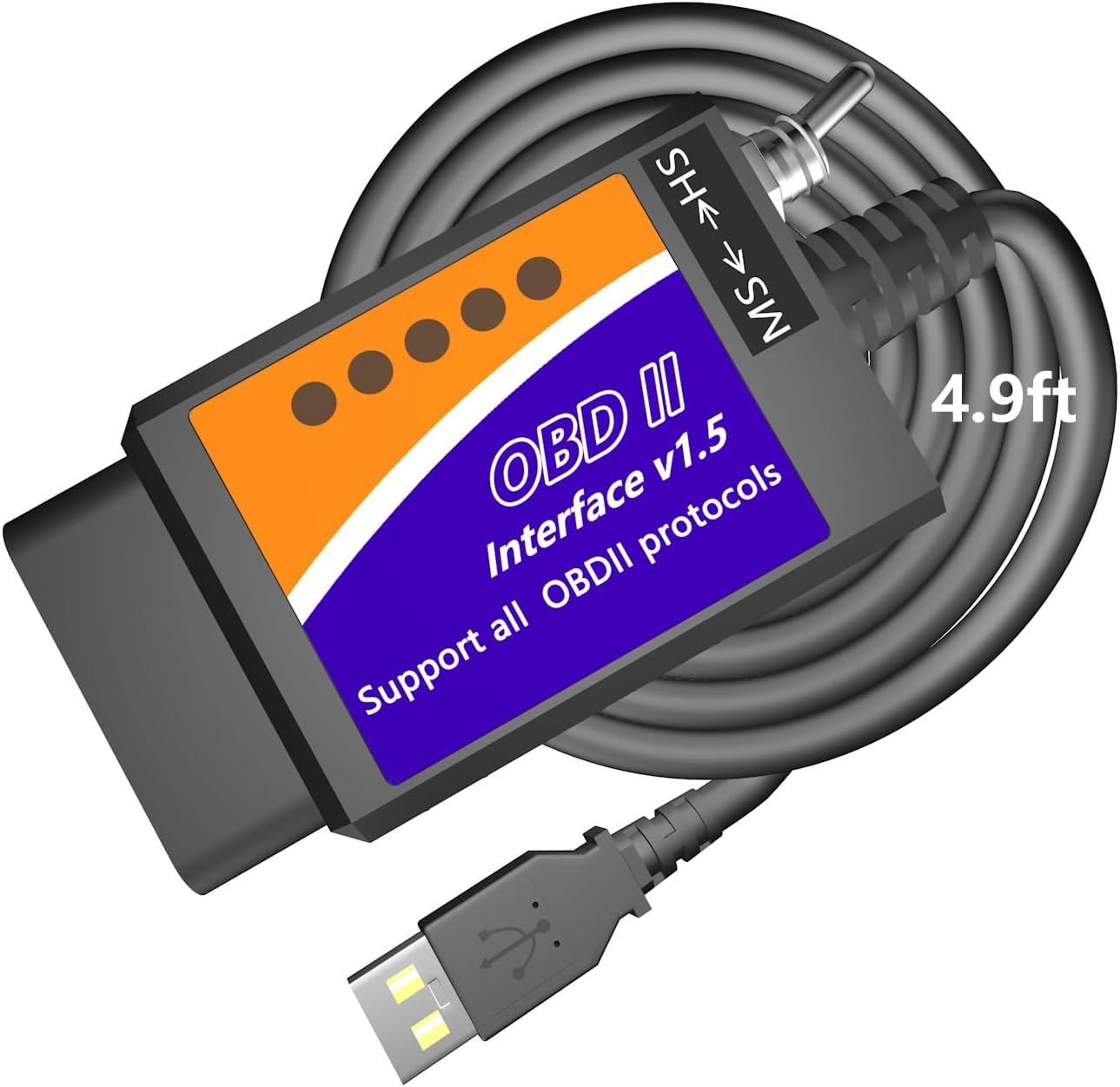
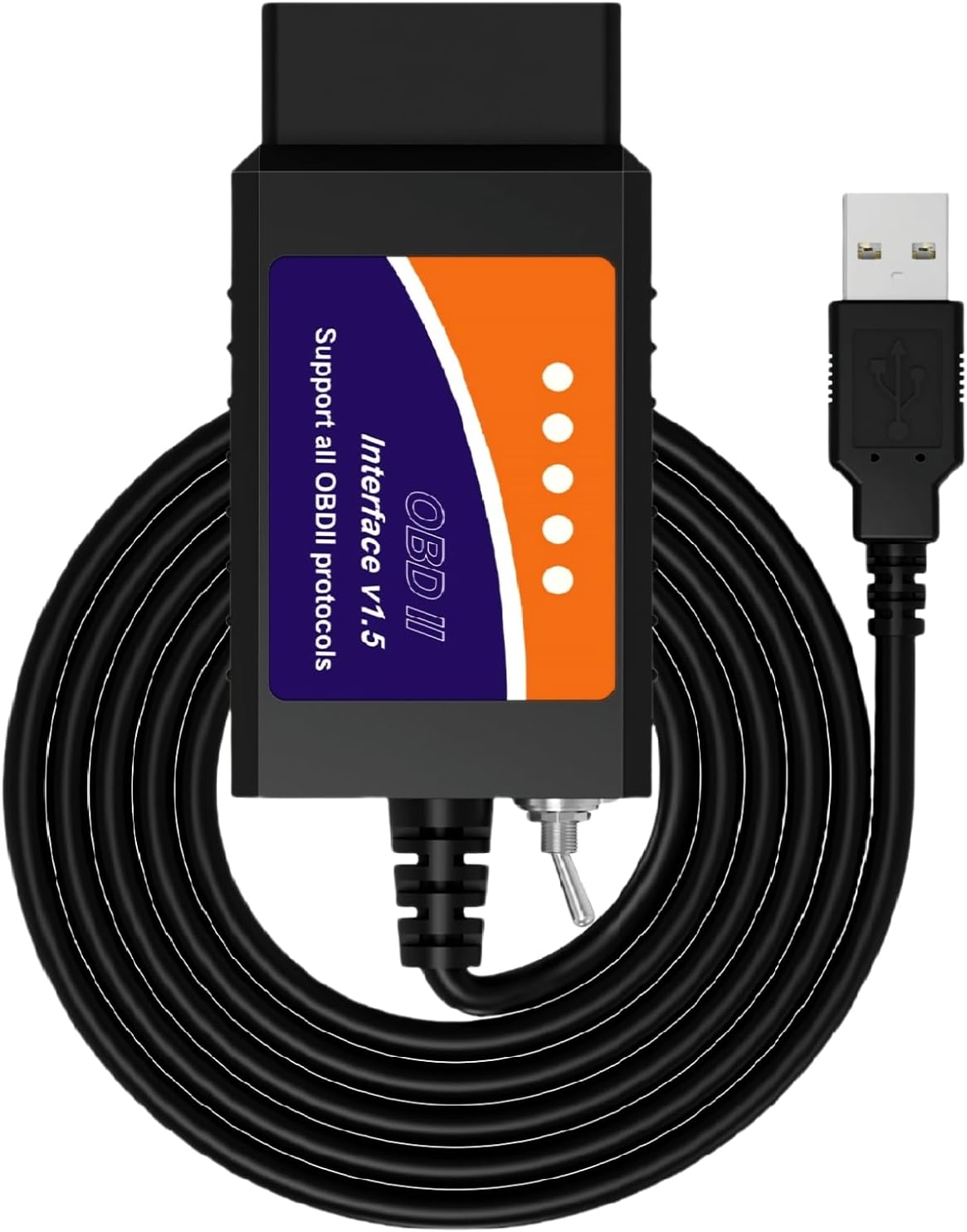
The classic switched ELM327 USB cable, made under several names including OHP, for FORScan and ELMconfig
  • USB cable for laptops
  • Works with Windows
  • FORScan-ready (HS/MS-CAN)
Check it out

Why your Ford needs two networks on one cable

A plain ELM327 reads your Ford's engine codes without trouble, then goes quiet when FORScan asks for the instrument cluster or the radio. The reason is wiring, and the fix is a switch.

Ford split many cars of the 2000s and 2010s into two CAN networks. High-speed CAN (HS-CAN) runs at 500 kbit/s on pins 6 and 14 of the diagnostic port and carries the engine, transmission and ABS. Medium-speed CAN (MS-CAN) runs at 125 kbit/s on pins 3 and 11 and carries body and comfort modules.

  • HS-CAN: powertrain control module, transmission and ABS, often steering and airbag modules too.
  • MS-CAN: on many models, the instrument cluster, audio, climate control, parking aid and door modules.
  • Newer buses: some recent Fords add further high-speed networks that FORScan also reads with the right adapter.

A standard ELM327 only connects to pins 6 and 14. The ELM327 OBD2 switch on Ford-ready cables moves the CAN connection to pins 3 and 11, so the same chip can talk to MS-CAN modules. FORScan tells you when to flip it.

Which modules sit on which network varies by model and year. FORScan shows the bus for each module it finds, so let the software tell you rather than guessing from a forum post.

Older Fords from before the CAN era used J1850 PWM instead. A genuine ELM327 command set covers that protocol too, which is why the same cable can serve a late-1990s truck and a 2015 Focus.

Cheat sheet

Toggle, automatic or electronic: the switch types

Switch typeExamplesHow it worksBest for
Manual toggleOHP, OBDMonster, MOCATEC, bbflyYou flip it between HS and MS when FORScan asksOccasional configuration on a budget
Automatic HS/MSVgate vLinker FS USB and FS Bluetooth, OBDLink MX+The adapter changes buses on its ownRegular use without reaching under the dash
Electronic, all buses at onceOBDLink EXTalks to every CAN bus simultaneouslyFrequent programming, advanced FORScan functions
None, HS-CAN onlyVeepeak OBDCheck BLE, most generic donglesReaches the powertrain network onlyEngine codes on a Ford, no configuration

Module coverage also depends on the vehicle's network layout and model year.

Toggle, automatic or electronic: picking the switch

Every FORScan cable solves the MS-CAN problem, but in one of three ways. The difference shows up in convenience, speed and which advanced FORScan functions you can run.

Manual toggle cables are the classic modified ELM327. The OHP, OBDMonster, MOCATEC and bbfly cables all carry a small HS/MS switch on the body. They work, but you reach down and flip it mid-session, which is why MOCATEC fits a longer 4.9 ft lead so the laptop can rest on your knees.

Automatic switching adapters, such as the Vgate vLinker FS USB, detect the bus FORScan needs and change over on their own. The vLinker FS also supplies about 18V for programming some older US-market Ford computers, a signal Ford calls FEPS.

Electronic multi-bus adapters go further. The OBDLink EX reaches all CAN buses at once, which OBDLink says enables functions toggle-switch adapters cannot do, at up to 20 times their throughput. The FORScan team recommends it.

  • Once-a-year tweak on a budget: a toggle cable.
  • Regular configuration, or several Fords in the family: automatic switching.
  • Module programming and the full FORScan feature set: the OBDLink EX.

Whichever you choose, the toggle position matters on manual cables. Leave it on HS for normal diagnostics and move it only when FORScan prompts, or modules will seem to vanish from the scan.

Adapter vs adapter

FORScan-ready adapters compared

Details

Detailed specs for these adapters

OBDLink EX
OBDLink EX
Brand
OBDLink
Model
EX101
Link type
USB, wired
Computer
Windows PC or laptop
iPhone / Android
No
Primary software
FORScan; recommended by the FORScan team
Vehicles
All FORScan-compatible vehicles: Ford, Lincoln, Mercury, Mazda
Ford coverage
All Ford protocols, modules and advanced FORScan features
Bus switching
Electronic; all CAN buses simultaneously
Throughput
Up to 20 times faster than toggle-switch adapters
Connection integrity
Designed to avoid data corruption and dropped packets
Processor
OBDLink STN-family OBD interpreter
Adapter review →Check it out
Vgate vLinker FS USB
Brand
Vgate
Model
vLinker FS USB (Windows)
Link type
USB; works in USB 2.0 and 3.0 ports
Computer
Windows PC or laptop
iPhone / Android
No
Command set
ELM327 protocol
Bus access
Automatic detection of HS-CAN and MS-CAN
Programming voltage
Up to about 18V for select older US-market vehicles
Data rate
Up to 3 Mbps
Packet size
Full 4095-byte packets
Named software
FORScan (optimised), AlfaOBD, VCTool and other ELM327 programs; not included
Vehicle voltage
12V and 24V
Adapter review →Check it out
Generic ELM327 USB FORScan cable
Brand (lead model)
OBDResource
Model
FORD327
Link type
USB, wired
Hardware
ELM327 v1.5 type
USB-serial chip
CH340T (lead model); FT232RL FTDI on some versions
Driver
CH340T USB driver, installed before first use
Bus switch
Manual HS-CAN / MS-CAN toggle
Protocols
All OBD2 protocols, plus J1850 PWM, HS-CAN, MS-CAN, HS-CAN2, HS-CAN3
Computer
Windows XP, Vista, 7, 8, 10; 32- and 64-bit
iPhone / Android
No
Software
FORScan, ELMconfig, FF2, FoCCCus, ScanMaster
Vehicles
Ford, Lincoln, Mercury, Mazda from 1996; generic OBD2 on other cars
Adapter review →Check it out

USB or Bluetooth for FORScan on a laptop

FORScan on Windows accepts USB, Bluetooth and Wi-Fi adapters. For reading codes any of them will do; for writing settings into a module, most experienced owners reach for a cable.

A configuration write that stops halfway can leave a module confused or unresponsive. A USB wire cannot drop out when the laptop's Bluetooth stack hiccups. Bluetooth adapters like the vLinker FS Bluetooth and OBDLink MX+ are well built, yet a cable removes one risk entirely.

JobUSB cableBluetooth adapter
Read and clear codesYesYes
Live data and graphsYesYes
Service procedures such as DPF regeneration, where supportedPreferredPossible with a quality adapter
Module configuration and programmingStrongly preferredAt your own risk
Phone use with FORScan LiteNoYes
  1. Connect a battery maintainer or charger before any write; FORScan warns about low voltage for good reason.
  2. Switch off anything that draws power: lights, blower, radio.
  3. Save each module's original configuration in FORScan before changing a single value.

On a phone, FORScan Lite works with Bluetooth adapters such as the Vgate vLinker FD+, which reaches MS-CAN for diagnostics but is not meant for configuration. Vgate points owners who want adjustments to its FS models instead. The USB guide covers drivers for the cable route, and the app guide lists the other Windows programs worth installing.

Our pick

The OBDMonster toggle cable

OBDMonster ELM327 USB
Best cheap switched USB cable OBDMonster ELM327 USB

The OBDMonster cable pairs a v1.5 ELM327 with an HS/MS-CAN toggle and a CH340 USB chip, and names ELMconfig, FoCCCus and FF2 for Ford and Mazda work. Install the CH340 driver before plugging it in.

Check it out

Working on a Mazda or a Ford Focus

FORScan covers Mazda as well as Ford, Lincoln and Mercury, so the ELM327 Mazda route is the same as the Ford one: a switched adapter and a Windows laptop.

Coverage has edges, and the cable makers are candid about them. OBDMonster says its cable does not yet support the 2019-on Mazda3 and CX-30. MOCATEC lists Mazda models from 1996 to 2022 up to the sixth generation, with partial support on seventh-generation platforms. FORScan's own vehicle list is the final word for your exact year and engine.

The Ford Focus is one of the most common FORScan projects. On many Focus generations, comfort features live in MS-CAN modules, so a cable with the switch is the minimum for ELM327 Ford Focus work. Typical changes owners make, where the car has the hardware:

  • Global window open and close from the key fob.
  • No double horn chirp on locking.
  • Different daytime running light behaviour.
  • Tire size correction after fitting other wheels.
  • Bambi mode, a cluster setting that shows more information at once.

MOCATEC puts the rule plainly: whether a feature appears depends on the factory modules in your car, not on the cable. A base model without a module cannot gain that module's functions through configuration.

Write down every value you change, next to its original. Online tweak lists are long, and not every entry suits every build or model year.
Graphed

Ford's networks run at different speeds

Standard bit rates of the Ford networks FORScan talks to. MS-CAN's slower speed on different pins is why a plain ELM327 cannot hear it.

The Ford cable checklist before you order

Most FORScan disappointments trace back to a cable that looked right but was not. Run through these points before buying any ELM327 for a Ford or Mazda.

  1. A switch, or automatic switching. Without one, MS-CAN modules stay out of reach. Veepeak says outright that its BLE adapters do not support MS-CAN in FORScan.
  2. A named USB chip and driver. CH340 and FTDI are both common; the maker should say which one and where the driver lives.
  3. A proper x86 or x64 Windows PC. MOCATEC notes that ARM-based Windows and macOS will not run its cable.
  4. Software named for the job. The FORScan team recommends the OBDLink EX, the OHP cable carries FORScan in its name, and OBDMonster names ELMconfig, FoCCCus and FF2.
  5. Cable length. A longer lead makes flipping a toggle and resting the laptop far less awkward.

Clone chips are the hidden risk. Some budget cables answer basic commands but fail on the CAN settings FORScan needs for MS-CAN, so an unbranded cable is a gamble. The chip guide explains why v1.5 firmware is often preferred on these cables.

  • Budget and patient: a switched cable from a maker that names its chip.
  • Regular use: the vLinker FS USB.
  • Serious programming: the OBDLink EX.

For a brand-by-brand view, see OBDMonster vs Vgate and OBDLink.

Driver questions

Drivers want to know

Do I need an MS-CAN switch for FORScan?

Only for modules on Ford's MS-CAN network, such as the cluster or audio on many models. Engine and ABS codes on HS-CAN work with any decent ELM327.

Can I use a Bluetooth ELM327 with FORScan?

Yes, for diagnostics, and FORScan Lite on phones needs one. For module configuration a USB cable is the safer choice.

Does the OBDMonster cable work with FORScan?

It is a switched HS/MS-CAN ELM327 USB cable of the type FORScan supports, and it names ELMconfig, FoCCCus and FF2. Install the CH340 driver first.

Does FORScan work on a Mazda?

Yes, FORScan supports Mazda alongside Ford, Lincoln and Mercury. The newest Mazda platforms have partial or no support, so check your model year.

Do I have to pay for FORScan?

Basic diagnostics on Windows are free. Configuration and programming need the extended licence, which at the time of writing comes as a free renewable trial or a paid version.

Also helpful

More OBD2 help

More adapters

Bluetooth options for Ford owners