- Bluetooth LE connection
- Works with iPhone, Android
- BMW / BimmerCode ready
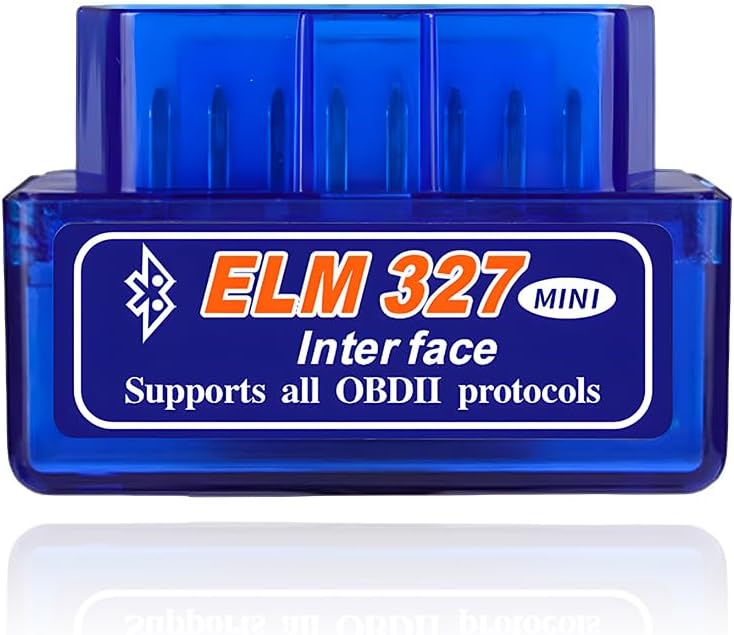
The unbranded ELM327 Bluetooth dongle is the cheapest way to read a check-engine code on an Android phone, as long as you know which jobs it can handle and which ones it cannot.
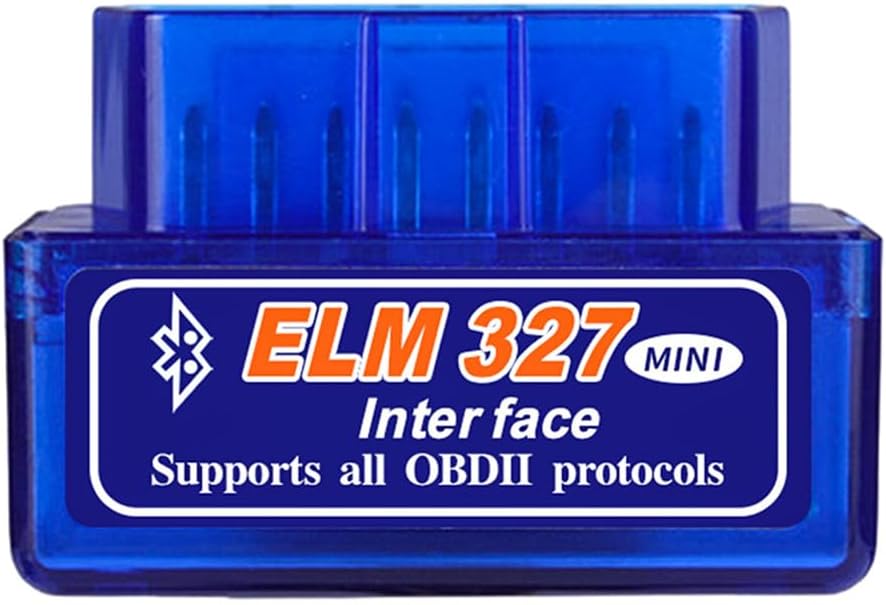
A warning light on the dash usually starts the search for an OBD2 adapter. For that first look, a no-name ELM327 Bluetooth dongle does the basic job: it plugs into the port under the dash, pairs with an Android phone and passes the car's trouble codes to an app. Most of them share the same small plastic shell and a pairing PIN of 1234.
Inside is a microcontroller running copied ELM327 firmware. Elm Electronics, the company behind the real ELM327, sells its chip to device makers, and dongles in this class almost always run clone code instead. Clones range from decent to frustrating, which explains why two identical-looking dongles can behave very differently on the same car.
When a good one connects, you get the generic OBD-II data every 1996-or-newer car in the US has to share:
That covers most everyday questions, like whether a loose gas cap or a failing oxygen sensor set off the light. It does not cover ABS, airbag or transmission modules on most cars, because those use maker-specific messages a basic dongle and a free app usually cannot reach. The ELM327 explainer goes further into what the chip can and cannot read.
| Spec | Value |
|---|---|
| Main version | KVAEY OBDII Car Auto Diagnostic Scanner |
| Command set | ELM327-compatible (copied firmware, not an Elm Electronics chip) |
| Link type | Classic Bluetooth |
| Pairing PIN | 1234 |
| Android | Yes (Android 7.0 or newer) |
| iPhone | No on the KVAEY; yes only on BLE and Bluetooth 5.0 versions |
| Windows | On some versions (Launchh and Android & Windows models) |
| Suggested app | Torque |
| Functions | Read and clear codes, load value, engine speed, coolant temperature, fuel system status |
| Vehicles | Most 12V OBD-II vehicles; hybrids and EVs excluded |
| Firmware labels seen | v1.4, v1.5 and v2.1, depending on version |
| PIC18F25K80 versions | Offered on some v1.4 and v1.5 models |
| Protocol gaps | Launchh version: no J1850 VPW |
| Housing | ABS plastic, insulated and flame retardant |
| Power | OBD-II port |
| Pack sizes | 1 or 2 dongles |
Generic dongles are sold with a version label, most often v1.5 or v2.1. It feels natural to pick the higher number. With clones, that instinct often backfires.
Owners and app makers widely report that many v2.1 clones are stripped down, missing commands or whole protocols that older cars need. One version in this group, the Launchh dongle, states outright that it does not support J1850 VPW, the protocol many pre-2008 GM cars use. The v1.5 clones built on a PIC18F25K80 microcontroller have the better reputation, which is why that part number shows up in titles.
| Label | What it usually means | Who should care |
|---|---|---|
| v2.1 | Common clone firmware; some drop commands or older protocols | Owners of 1996–2007 cars |
| v1.5 on PIC18F25K80 | The best-regarded clone recipe | Anyone using apps that send many commands |
| v1.4 | Older clone firmware, still fine for basic codes | Casual code reading |
| No label | Unknown until an app queries it | Everyone: test it early |
The practical move is to test the dongle as soon as it arrives. Connect with Car Scanner or Torque, let the app detect the protocol and read a few live values.
The v1.5 vs v2.1 comparison lays out the chip question in full.
Most of these dongles use Classic Bluetooth, the same serial-style link older headsets used. Android phones handle it well. iPhones do not let ordinary apps talk to Classic Bluetooth serial devices, so an iPhone will either never list the dongle or list it without any app being able to use it.
A few versions here mention iPhone support. That only works when the dongle uses Bluetooth LE, such as the KW901 with Bluetooth 5.0. On an iPhone, a BLE dongle is found inside the app rather than in the Settings menu.
Two versions, the IO180-PH and the MUCAR BT200 MAX, ship with their own dedicated apps. They sit closer to app-based scanners than to plain ELM327 dongles, so check that the app covers your car before you rely on it. For step-by-step fixes when the phone pairs but the car will not answer, see how to use an ELM327, and the app guide compares the free and paid apps.
A no-name dongle stops being the right tool once you ask more of it than generic codes. Knowing where that line sits saves a second purchase.
Battery drain is the other quiet issue. None of these dongles promise an automatic sleep mode with a stated standby current. Vgate and Veepeak adapters sleep at a few milliamps. A generic dongle may keep drawing power with the car off, so unplug it after each session.
Build quality is the third gap. The KVAEY shell is ABS plastic rated insulated and flame retardant, which is sensible, but these dongles rarely get firmware updates. If an app update stops working with one, there is usually no fix beyond buying a different adapter. Branded Vgate and Veepeak models get firmware support and clear lists of the apps they work with.
| Need | Generic dongle | Branded BLE adapter |
|---|---|---|
| Read and clear engine codes | Yes | Yes |
| iPhone | Only BLE versions | Yes |
| Stated sleep current | No | Yes, a few mA |
| Firmware updates | No | Often |
If you keep the dongle, treat it as a diagnostic tool you plug in when needed, not a permanent fixture. For how owners rate these adapters over time, see the ELM327 reviews roundup.
Almost always 1234. A few use 0000 or 6789, so try those if 1234 fails.
Most generic dongles use Classic Bluetooth, which iPhone apps cannot use. You need a Bluetooth LE or Wi-Fi adapter.
Not with clones. Many v2.1 clones miss commands or protocols, while v1.5 clones on a PIC18F25K80 have the better reputation.
Better not. No automatic sleep current is stated, so unplug it when you finish.
Not for Ford's MS-CAN modules. Use a FORScan adapter with MS-CAN support instead.