Best adapters
BMW / Mini coding adapter · Bluetooth 4.0 LE

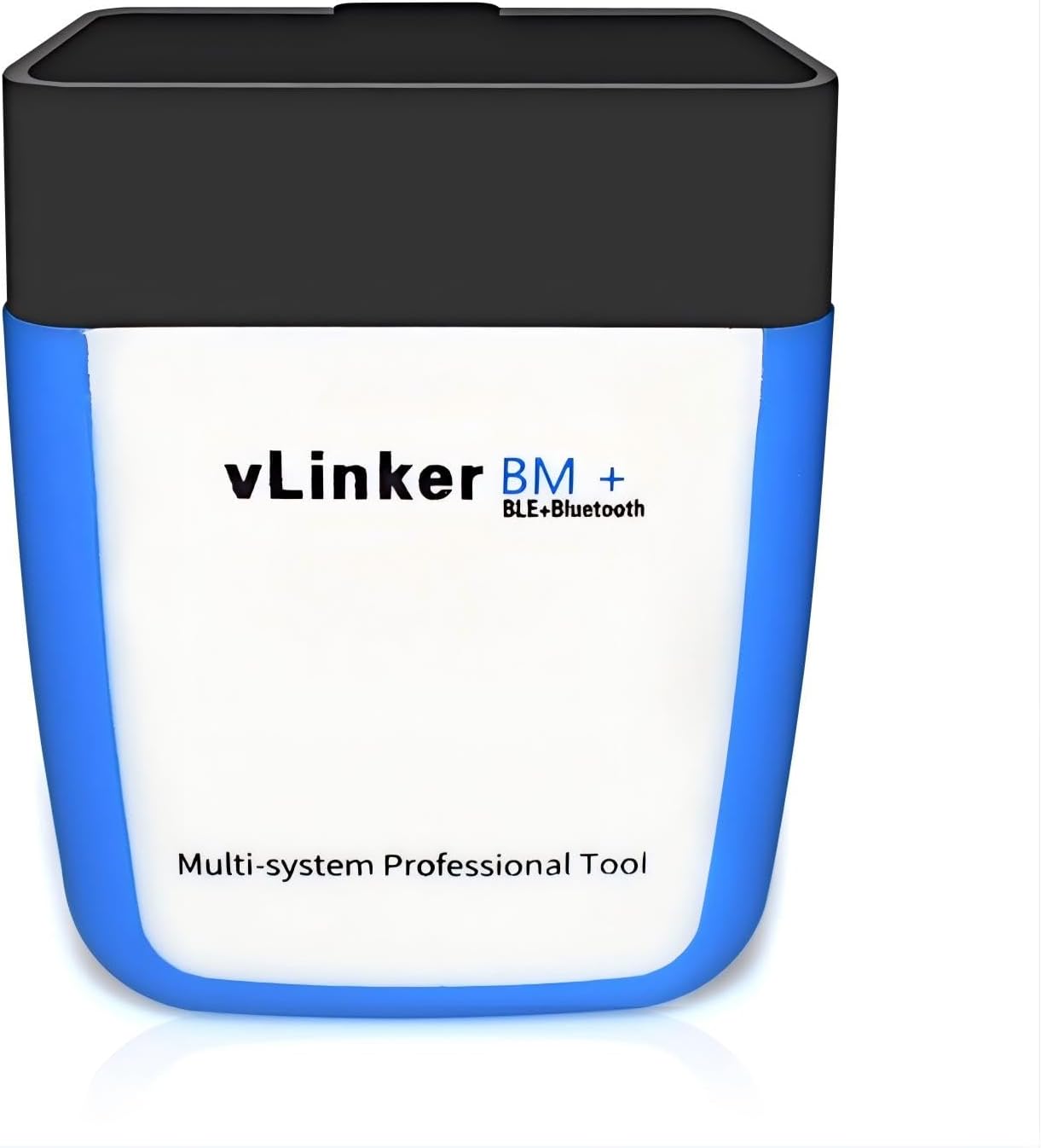
Vgate vLinker BM+

The vLinker BM+ is Vgate's BMW and Mini adapter: a Bluetooth 4.0 LE dongle with a bigger data buffer for BimmerCode coding, and a 3 mA sleep mode that lets it stay in the port.

  • ConnectionBluetooth 4.0 LE
  • Phones and PCsiPhone, Android, Windows
  • BMW appsBimmerCode, BimmerLink
  • Sleep current3 mA, automatic power saving
  • ProtectionOver-voltage, over-current, overheating
  • Older BMWs2008-and-older E/R-series: use BimmerCode on Android
Works well for
  • BMW and Mini owners who want to code features with BimmerCode
  • BimmerLink users watching live data or clearing faults
  • iPhone owners on newer BMWs who need a BLE adapter
  • Leaving in the port thanks to the 3 mA sleep current
Avoid if
  • 2008-and-older E-series owners with only an iPhone
  • Ford owners who need MS-CAN for FORScan
Check it out

You want to code your BMW from the driver's seat

BMW owners buy an OBD2 adapter for one reason more than any other: BimmerCode. The app turns on hidden settings the car already supports, from mirror folding on lock to changing how the start-stop system behaves. It needs an adapter that can move a lot of data quickly and reliably, and a generic dongle often cannot.

The vLinker BM+ is built for that job. Vgate took the iCar Pro design, gave it a bigger data buffer and added support for the TP transport protocol that long coding sessions depend on. The radio is Bluetooth 4.0 LE, which is what lets an iPhone use it alongside Android phones and Windows PCs.

With the right app, the BM+ covers the usual BMW wish list:

  • BimmerCode: coding comfort and convenience features, depending on your model and its modules.
  • BimmerLink: reading and clearing fault codes across modules, live data such as oil or boost values, and model-specific extras.
  • Generic OBD2 apps: Torque Pro, Car Scanner and other ELM327 apps on any 1996-or-newer car, including Mercedes, Audi and VW for engine codes.

Vgate also names Carly among compatible apps. Carly's developer pushes its own adapter, so confirm current support inside Carly before counting on it.

Coding tip: connect a battery charger before a long BimmerCode session, keep the phone awake and plugged in, and let BimmerCode save its backup of each module before you change anything.

Which features you can change depends on the car's build, not on the adapter. The BimmerCode app lists what it supports for each chassis, and it is worth checking your model there first. The car compatibility guide covers what ELM327 adapters reach on BMW and other brands.
Details

Technical details

SpecValue
BrandVgate
ModelvLinker BM BLE4.0
Link typeBluetooth 4.0 Low Energy
iPhone / iPadYes
AndroidYes
WindowsYes
BMW coding appBimmerCode
BMW diagnostic appBimmerLink
Other appsTorque Pro and most ELM327-compatible apps
Older E/R-series (2008 and earlier)BimmerCode iOS has connection limits; Android recommended
Data handlingExpanded data buffer, TP protocol support
Upgrade pathUpgraded from the Vgate iCar Pro design
Sleep current3 mA with automatic power saving
ProtectionOver-voltage, over-current and overheating
VehiclesBMW and Mini, plus generic OBD2 on other 1996+ cars
Weight80 g
PowerVehicle OBD port
In the boxAdapter and user manual

Your BMW is a 2008-or-older E-series: read this first

The BM+ comes with one clearly stated catch. On BMW E-series and R-series models from 2008 or earlier, BimmerCode for iOS has connection limitations with this adapter. Vgate's advice is to run BimmerCode on Android for full functionality on those cars.

That makes the choice of phone part of the adapter decision. Newer BMWs and other brands work on both iOS and Android. Older models are where the split appears.

Your carYour phoneBM+ with BimmerCode
BMW or Mini after 2008iPhoneSupported; check your chassis in the app
BMW or Mini after 2008AndroidSupported; check your chassis in the app
E/R-series 2008 or olderAndroidRecommended route
E/R-series 2008 or olderiPhoneLimited connection; borrow an Android device

If you own an older E90 or E60 and only have an iPhone, an inexpensive Android phone or tablet kept in the glovebox solves it. The adapter does not care which device it talks to, though a BimmerCode unlock bought in one app store may not carry over to the other.

  • Check the model year on the registration, not the facelift year you remember.
  • Open BimmerCode's free version and let it identify the car before buying the full unlock.
  • If the car was retrofitted with newer modules, let the app scan it; module lists can differ from factory spec.

For drivers who never plan to use an iPhone, Vgate also makes the vLinker BM, a Bluetooth 3.0 model for Android and Windows only.

Across the range

Compared with the field

ELM327 OBD2 adapter models by type, September 2026. Highlighted: Vgate vLinker BM+.

Leaving the BM+ plugged in: 3 mA sleep and connection habits

Plenty of BMW owners leave their coding adapter in the port so BimmerLink can grab data whenever they want. The BM+ supports that with an automatic power-saving mode that drops the draw to about 3 mA once the car goes quiet.

For scale, seven days at 3 mA comes to about 0.5 Ah, a sliver of a typical car battery's capacity. A car stored for a month or a weak battery in winter is a different case, and unplugging costs nothing.

The BM+ also carries over-voltage, over-current and overheating protection. That guards the adapter and the car's port against a spike from jump-starting or a failing alternator.

  1. Plug the BM+ into the OBD port, usually under the dash on the driver's side.
  2. Turn the ignition on without starting the engine for coding, or start it for live data.
  3. On an iPhone, do not pair in Settings. Open BimmerCode or BimmerLink and connect from inside the app.
  4. On Android, connect from the app as well, and let it find the vLinker.
  5. When you finish, close the app so the adapter can drop into sleep.

If the BM+ does not respond after sleeping, unplug it for a few seconds and reinsert it. A dongle sitting at an angle in the port causes more failed connections than any software setting, so press it fully home.

If connections still fail, the ELM327 connection fixes walk through ignition states, app settings and Bluetooth resets.

Other picks

Three alternatives

1 OBDLink CX
BimmerCode team's pick OBDLink CX
OBDLink CX works with every vehicle BimmerCode supports and sleeps safely in the port.
  • Bluetooth LE connection
  • Works with iPhone, Android
  • BMW / BimmerCode ready
Check it out
2 Vgate vLinker BM
Android-only BMW adapter Vgate vLinker BM
The vLinker BM uses Bluetooth 3.0 for Android and Windows and is recommended by the BimmerCode team.
  • Bluetooth connection
  • Works with Android, Windows
  • Android only - not for iPhone
Check it out
3 Veepeak OBDCheck BLE+
General adapter with BMW apps Veepeak OBDCheck BLE+
Veepeak OBDCheck BLE+ runs BimmerCode, BimmerLink and Car Scanner on iPhone and Android.
  • Bluetooth LE connection
  • Works with iPhone, Android
Check it out

BM+, OBDLink CX or a Veepeak: picking a BimmerCode adapter

BimmerCode works with a short list of adapters, and three come up most often for phone owners. They differ more in price and support than in what they can code.

AdapterLinkDevicesBMW notes
vLinker BM+Bluetooth 4.0 LEiPhone, Android, WindowsBimmerCode and BimmerLink; older E-series best on Android
OBDLink CXBluetooth 5.1 LEiPhone, AndroidMade for BimmerCode and recommended by its team
Veepeak OBDCheck BLEBluetooth LEiPhone, AndroidNo BimmerCode or BimmerLink before 2008; no G and U series in BimmerCode
vLinker BMBluetooth 3.0Android, WindowsBimmerCode and BimmerLink; no iPhone

The OBDLink CX is the adapter the BimmerCode team itself recommends, with full coverage of what the app supports. The BM+ trades that official stamp for a lower cost, Windows support and the same leave-in sleep mode. The Veepeak is a solid general adapter with real BMW limits.

Price aside, support is the other difference. Vgate lists BimmerCode, BimmerLink and Torque Pro as core apps for the BM+, and the adapter shares the leave-in sleep mode of the rest of the vLinker range. OBDLink adds its own app for live data and diagnostics.

None of the three is a Ford tool: for FORScan and MS-CAN, look at the vLinker FS family instead. And none of them replaces a dealer programming system for full module flashing, which BimmerCode does not attempt.

  • Pick the BM+ for a mixed household of iPhones, Android and a Windows laptop.
  • Pick the CX if you want the app maker's first-choice hardware.
  • Pick the Android-only BM if nobody in the house uses an iPhone.

For a broader comparison of Vgate against OBDLink and others, see ELM327 vs OBDLink and Vgate.

Driver questions

Compatibility questions

Does the vLinker BM+ work with BimmerCode on iPhone?

Yes on newer BMWs and Minis. On 2008-and-older E/R-series models, BimmerCode on Android is the recommended route.

Is the vLinker BM+ Bluetooth LE?

Yes. It uses Bluetooth 4.0 LE, which is why it works with iPhones as well as Android and Windows.

Can I leave the BM+ plugged in?

It drops to about 3 mA in sleep mode, so daily drivers are fine. Unplug it if the car will be stored.

What is the difference between the vLinker BM and BM+?

The BM uses Bluetooth 3.0 for Android and Windows only. The BM+ uses Bluetooth 4.0 LE and adds iPhone support.

Does it work on non-BMW cars?

Yes. It works with Torque Pro and other ELM327 apps for generic OBD2 on 1996-or-newer cars.