Best adapters
Classic Bluetooth OBD2 reader · Android only

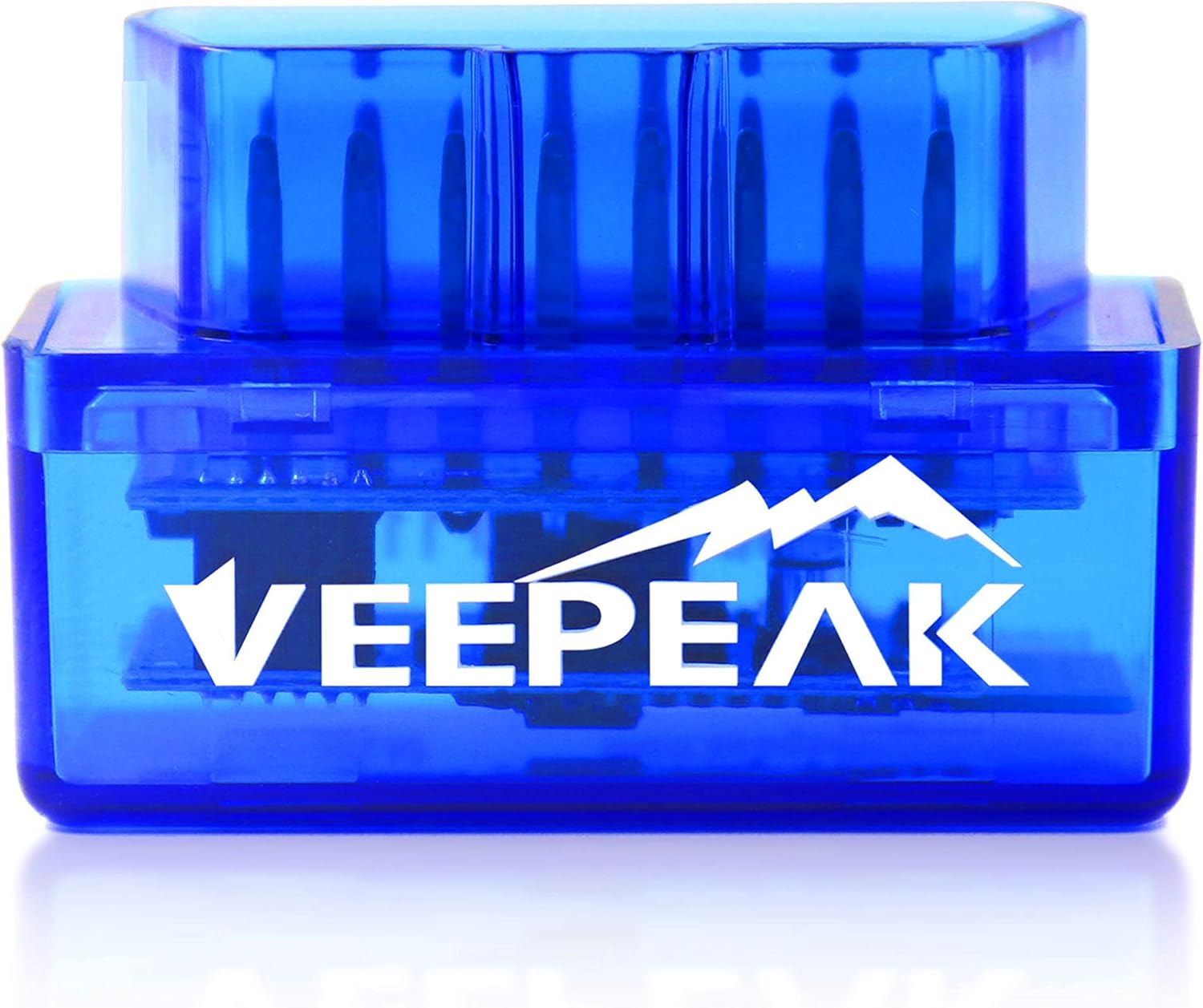
Veepeak Mini

A small, low-cost Classic Bluetooth reader for Android phones and tablets. It reads and clears check-engine codes and streams live engine data, and it is upfront that iPhones and advanced systems are off the table.

  • ConnectionClassic Bluetooth
  • PhonesAndroid phones and tablets only
  • iPhone / iPadNot supported
  • DiagnosticsGeneric engine: codes, live data, freeze frame, readiness
  • AppsCar Scanner, Torque, OBD Fusion, Dr. Prius
  • ModelVP11
Works well for
  • Android owners who want to know why the check-engine light is on
  • A cheap spare reader for a second car or the glovebox
  • Torque users building a live gauge dashboard
  • Toyota hybrid owners on Dr. Prius
Avoid if
  • iPhone and iPad owners
  • BMW coding in BimmerCode or BimmerLink
  • ABS, airbag, TPMS or transmission faults
Check it out

An Android phone, a lit check-engine light, and a small budget

This is the classic counter conversation. The engine light came on, the car drives fine, and you want to know whether it is a loose gas cap or something that needs a shop this week. The Veepeak Mini exists for that moment: plug it in, open an Android app, read the code and decide.

It covers generic engine diagnostics on most 1996 and later US cars and light trucks. That means the trouble codes stored by the engine computer, the freeze-frame snapshot of conditions when the fault set, and the I/M readiness monitors that tell you whether the car will pass an emissions check.

  • Read and clear codes that turn on the check-engine light (CEL or MIL).
  • Freeze frame: engine speed, load and temperature at the moment the fault was stored.
  • I/M readiness: which self-tests have completed since the codes were last cleared.
  • Live data: speed, RPM, coolant temperature, throttle position, oxygen sensors, fuel trim and mass air flow.

Live data is the underrated part. Watching fuel trims at idle and at cruise can point at a vacuum leak or a tired sensor before you spend on parts. Coolant temperature on a gauge tells you whether the thermostat is opening properly.

Emissions-day warning: write the code down before you clear it. Clearing also resets the readiness monitors, so clearing a code the morning of an emissions test is a common way to fail it.

Veepeak does not name the chip inside. The Mini speaks the ELM327 command set that Android OBD2 apps expect, which is what the apps need. What an ELM327 is covers the chip side for the curious.

Details

Technical details

SpecValue
BrandVeepeak
ModelVP11
Wireless linkClassic Bluetooth
Operating systemsAndroid phones and tablets
iOSNot supported
Head unitsAndroid car stereos may not be supported
VehiclesMost 1996+ US cars and light trucks
Not forOBD-I vehicles, heavy-duty trucks, motorcycles
FunctionsRead and clear engine codes, live data, freeze frame, I/M readiness
Live data examplesSpeed, RPM, coolant temperature, throttle position, O2 sensors, fuel trim, MAF
Not supportedABS, SRS, TPMS, transmission, HVAC, oil reset, injector coding, EPB reset, relearning
Compatible appsCar Scanner, Torque, OBD Fusion, Dr. Prius
Not compatibleBimmerCode, BimmerLink, ABRP
PowerFrom the OBD-II port
Weight1.12 oz
Size1.89 × 0.98 × 1.26 in

Pairing over Classic Bluetooth, and why your iPhone can't join in

The Mini uses Classic Bluetooth, the same flavour Android phones use for headsets and speakers. Android apps are happy to talk to a Classic Bluetooth serial device, so pairing is quick. iPhones are the opposite: iOS apps cannot open that kind of connection to an uncertified accessory, which is why Veepeak marks the Mini as not compatible with iPhone or iPad.

For an iPhone household the fix is simple: buy a Bluetooth LE adapter instead. Veepeak points iOS users to its own OBDCheck BLE, which works with both platforms.

  1. Find the OBD-II port, usually under the dash near the steering column.
  2. Press the adapter firmly into the port. Veepeak specifically warns that ports vary and a loose fit can stop it reaching the car's computer.
  3. Turn the ignition on.
  4. Pair the adapter in your Android phone's Bluetooth settings, then select it inside the app.
  5. Let the app detect the protocol automatically and connect.

Android car stereos and head units are a grey area. Veepeak says they may not be supported, so treat the Mini as a phone and tablet adapter rather than a way to put gauges on your dash screen. An old Android phone in a dash mount running Torque does the gauge job well instead.

If the app says it cannot connect to the ECU while Bluetooth shows paired, reseat the adapter first. Then check that the ignition is on, not just accessory mode. The ELM327 setup walkthrough goes through the rest of the usual fixes, and the Classic vs BLE breakdown explains the iPhone limit in more depth.

Across the range

Compared with the field

ELM327 OBD2 adapter models by type, September 2026. Highlighted: Veepeak Mini (Android).

Apps that work, apps that won't, and why BimmerCode is off the list

An adapter like this is only as useful as the app on the phone. The Mini works with the popular Android OBD2 apps and is clear about the ones it cannot serve. Those limits come down to hardware: some apps need faster, more capable adapters than a basic Classic Bluetooth reader. Coding apps write to modules, and EV apps poll battery data constantly.

AppWorks with the Mini?What it is for
Car ScannerYesGeneral codes, live data, dashboards
TorqueYesCustom gauges and logging on Android
OBD FusionYesCodes, live data, readiness
Dr. PriusYesToyota and Lexus hybrid battery data
BimmerCode, BimmerLinkNoBMW coding and diagnostics
ABRPNoEV route planning with live battery data

Veepeak also warns about imitation apps. Search results often include copies of Car Scanner or Torque that ask for a subscription, so check the developer name before installing. The genuine free versions are enough to read and clear engine codes.

What the Mini will not do, whatever the app, is just as important:

  • No ABS, airbag (SRS), TPMS, transmission or HVAC diagnostics.
  • No oil light reset, injector coding, electronic parking brake reset or relearning procedures.
  • No heavy-duty trucks, motorcycles or pre-1996 OBD-I cars.

EV and hybrid support depends on the app, so check your model in Car Scanner first. Toyota hybrid owners are the lucky exception, with Dr. Prius on the supported list. For a fuller look at the free and paid choices, the ELM327 app rundown compares them side by side.

Other picks

Three alternatives

1 Veepeak OBDCheck BLE
If an iPhone is involved Veepeak OBDCheck BLE
The Veepeak OBDCheck BLE uses Bluetooth LE for iPhone and Android and adds BimmerCode on 2008+ BMWs.
  • Bluetooth LE connection
  • Works with iPhone, Android
  • BMW / BimmerCode ready
Check it out
2 Panlong Bluetooth (Android)
Another Android reader Panlong Bluetooth (Android)
The Panlong Bluetooth adapter is a Classic Bluetooth ELM327 v1.5 reader for Android phones and tablets.
  • Bluetooth connection
  • Works with Android
  • Android only - not for iPhone
Check it out
3 Vgate iCar Pro BT3.0 (Android)
Vgate's Android option Vgate iCar Pro BT3.0 (Android)
The Vgate iCar Pro Bluetooth 3.0 is an Android-only reader for check-engine codes.
  • Bluetooth 3.0 connection
  • Works with Android
  • Android only - not for iPhone
Check it out

Veepeak Mini, a Panlong or a BLE adapter: the Android budget choice

Cheap Classic Bluetooth readers for Android all look alike on the shelf. What separates them is support, how honestly the maker states the limits, and whether an iPhone might join the family later. Next to the adapters people usually weigh it against, the Mini lines up like this.

AdapterLinkiPhoneStands out for
Veepeak MiniClassic BluetoothNoClear app and function limits
Panlong BluetoothClassic BluetoothNoSold as ELM327 v1.5, Android only
Veepeak OBDCheck BLEBluetooth LEYesAdds BimmerCode on 2008+ BMWs
Vgate iCar Pro BT3.0Bluetooth 3.0NoVgate's Android-only option

If everyone in the house uses Android and all you want is engine codes and a live dashboard, the Mini covers it for very little. It also makes a sensible spare for a second car or a trip, since there is little to lose if it goes missing. If there is any chance of an iPhone later, or a BMW you want to code, spend a little more on the OBDCheck BLE now rather than buying twice.

  • Pick the Mini for an Android phone and engine-only diagnostics.
  • Pick a BLE adapter if anyone uses an iPhone.
  • Pick an MS-CAN adapter if you drive a Ford and want FORScan body modules.

A final practical note: because the Mini is small, it is easy to leave in the port. Veepeak does not publish a sleep-current figure for it, so on a car that sits for a week or more, unplugging it is the safe habit. Brand-by-brand fit is covered in ELM327 car compatibility.

Driver questions

Compatibility questions

Does the Veepeak Mini work with iPhone?

No. It uses Classic Bluetooth and works with Android phones and tablets only. For iPhone, choose a Bluetooth LE adapter such as the OBDCheck BLE.

Can the Veepeak Mini read ABS or airbag codes?

No. It covers generic engine diagnostics only, not ABS, SRS, TPMS, transmission or HVAC.

Which apps work with the Veepeak Mini?

Car Scanner, Torque, OBD Fusion and Dr. Prius. BimmerCode, BimmerLink and ABRP are not compatible.

Will it work on my motorcycle or heavy truck?

No. Veepeak excludes OBD-I vehicles, heavy-duty trucks and motorcycles.

Why won't it connect to my car's computer?

Press it firmly into the port, since a loose fit is common, and make sure the ignition is on before connecting in the app.