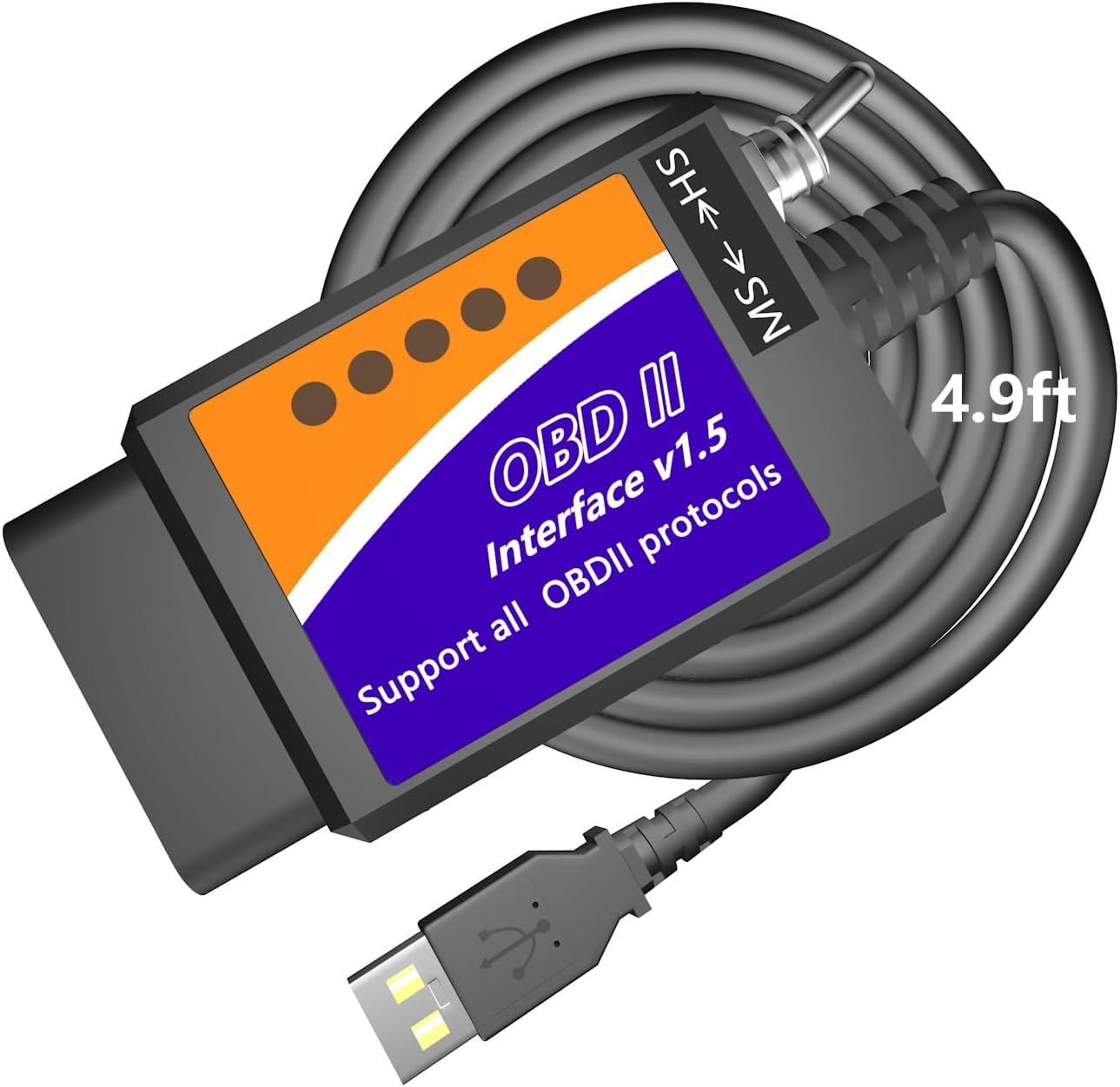
- USB cable for laptops
- Works with Windows
- FORScan-ready (HS/MS-CAN)
The OBDLink EX is OBDLink's USB adapter for FORScan on Ford, Lincoln, Mercury and Mazda: an STN-based cable whose electronic switch reaches every CAN bus at once, and the adapter the FORScan team recommends.
Most FORScan cables are modified ELM327s with a small toggle on the housing. FORScan pauses, tells you to move it to MS-CAN, and you reach under the dash to flip it, then flip it back later. The OBDLink EX does that job electronically, and it does it for every CAN bus at once.
The reason for all the switching is Ford's wiring. Many Fords from the 2000s onward split their modules across networks: high-speed CAN on pins 6 and 14 of the port for the engine, transmission and ABS, and medium-speed CAN on pins 3 and 11 for the cluster, audio, climate and body modules. Recent models add further high-speed buses on top.
A toggle cable connects its single CAN channel to one pair of pins at a time. The EX stays connected to all of them, so FORScan can talk to modules on different buses within one job. OBDLink says that opens functions a toggle-switch adapter cannot run at all.
None of that changes which features your car can have. Those still depend on the modules fitted at the factory. What changes is how reliably and quickly FORScan can reach them, and the FORScan and Ford guide explains the network split in more detail.
| Spec | Value |
|---|---|
| Brand | OBDLink |
| Model | EX101 |
| Link type | USB, wired |
| Computer | Windows PC or laptop |
| iPhone / Android | No |
| Primary software | FORScan; recommended by the FORScan team |
| Vehicles | All FORScan-compatible vehicles: Ford, Lincoln, Mercury, Mazda |
| Ford coverage | All Ford protocols, modules and advanced FORScan features |
| Bus switching | Electronic; all CAN buses simultaneously |
| Throughput | Up to 20 times faster than toggle-switch adapters |
| Connection integrity | Designed to avoid data corruption and dropped packets |
| Processor | OBDLink STN-family OBD interpreter |
| Power | Vehicle OBD port |
| Dimensions | 3.5 x 1 x 1.8 in |
| In the box | Adapter, quick start guide |
The name on the box says OBDLink, and the chip inside matches it. OBDLink adapters run on STN-family interpreters rather than the cloned PIC firmware found in cheap ELM327 cables. STN chips accept the ELM327 command set and add their own extended commands, including ones for handling several CAN channels.
That matters because FORScan knows the STN commands and uses them. With a clone, the software works around the chip's limits: small buffers, missing commands and one bus at a time. With the EX, it takes the faster path the program was written for.
| Point | Toggle-switch ELM327 cable | OBDLink EX |
|---|---|---|
| Interpreter | Cloned ELM327 firmware, often labelled v1.5 | OBDLink STN chip |
| MS-CAN access | Manual switch, one bus at a time | Electronic, all buses together |
| Speed | Baseline | Up to 20 times faster |
| Long writes | Risk of dropped packets on a weak clone | Built to avoid corruption and drops |
| FORScan team view | Supported | Recommended |
The difference shows up most in jobs that write to the car. A configuration write or a module reprogram that stops halfway can leave a module confused or unresponsive. A steady wired link and a chip FORScan fully understands remove two of the usual causes.
Owners curious about the clone side of the story will find the v1.5 and v2.1 labels explained in the ELM327 version comparison.
The EX is a Windows tool, because the full version of FORScan is a Windows program. There is no phone route: FORScan Lite on iPhone and Android needs a wireless adapter, and the EX has only its USB lead. Plan on a laptop that can rest on the passenger seat or your knees.
Mac owners need Windows somewhere. A spare laptop is the simplest answer, followed by Boot Camp on an older Intel Mac or a virtual machine with USB passthrough. The cable is not the obstacle; the software is.
Power settings deserve a minute too. Keep the laptop on its charger for long sessions and turn off sleep and screen timeout. A laptop that nods off mid-write does as much harm as a cable that drops out.
For quick checks, the EX also reads and clears codes, shows live data and runs the service functions FORScan offers for your model. OBDLink designed it around FORScan, so treat other Windows software as a bonus to confirm, not a given. The USB adapter guide covers drivers and laptop choices across all wired adapters.
The EX costs several times as much as a basic switched cable, and for some owners the cheaper option is enough. The real question is how often you will write to modules, and what a failed write would cost you in time or a dealer visit.
| Adapter | Bus switching | Stand-out point | Best for |
|---|---|---|---|
| OBDLink EX | Electronic, simultaneous | Up to 20x toggle throughput; FORScan team's pick | Regular configuration and programming |
| Vgate vLinker FS USB | Automatic HS/MS | About 18V programming output for select older US models | Frequent use at a lower cost |
| MOCATEC USB | Manual toggle | 4.9 ft lead | Occasional tweaks |
A toggle cable handles a tire-size correction or global windows once a year without fuss. The EX earns its cost when you configure several cars, reprogram modules or use the advanced FORScan functions that need every bus at once.
If you also want FORScan Lite on a phone, OBDLink's wireless MX+ is recommended for FORScan too and works with iPhone, Android and Windows.
The ELM327, OBDLink and Vgate comparison sets the brands side by side for other makes of car.
No. Its electronic switch connects to all CAN buses at once, so FORScan never asks you to flip anything.
No. It is a USB adapter for Windows. For FORScan Lite on a phone, use a wireless adapter such as the OBDLink MX+.
Not a clone. It runs on OBDLink's STN interpreter, which understands ELM327 commands and adds its own, and FORScan uses those extras.
Only through Windows, such as Boot Camp on an Intel Mac, a virtual machine or a separate Windows laptop, because FORScan is a Windows program.
Yes, on the Mazda models FORScan supports, along with Ford, Lincoln and Mercury.