Best adapters
FORScan USB cable · HS/MS-CAN toggle · x86 Windows

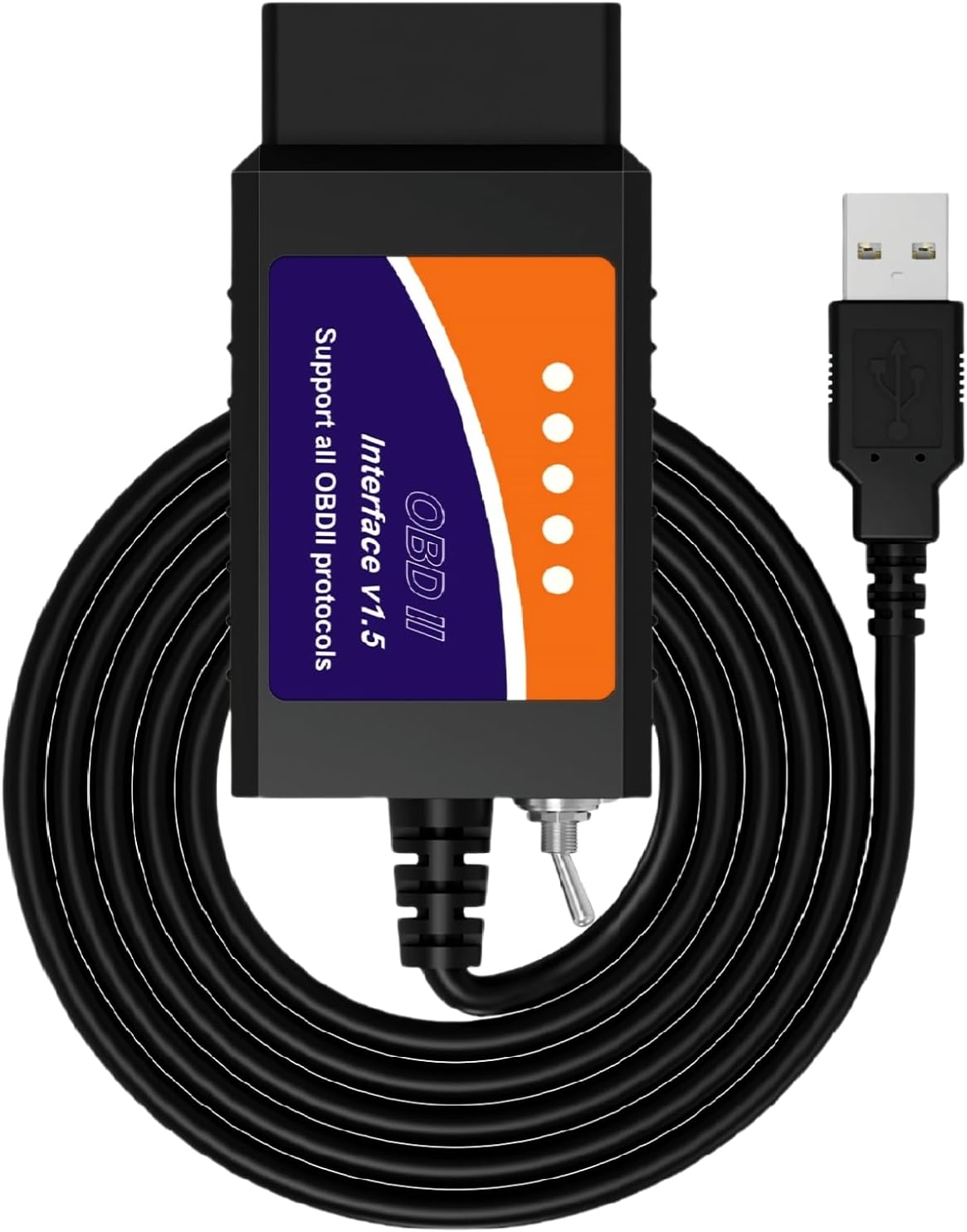
MOCATEC USB FORScan Adapter

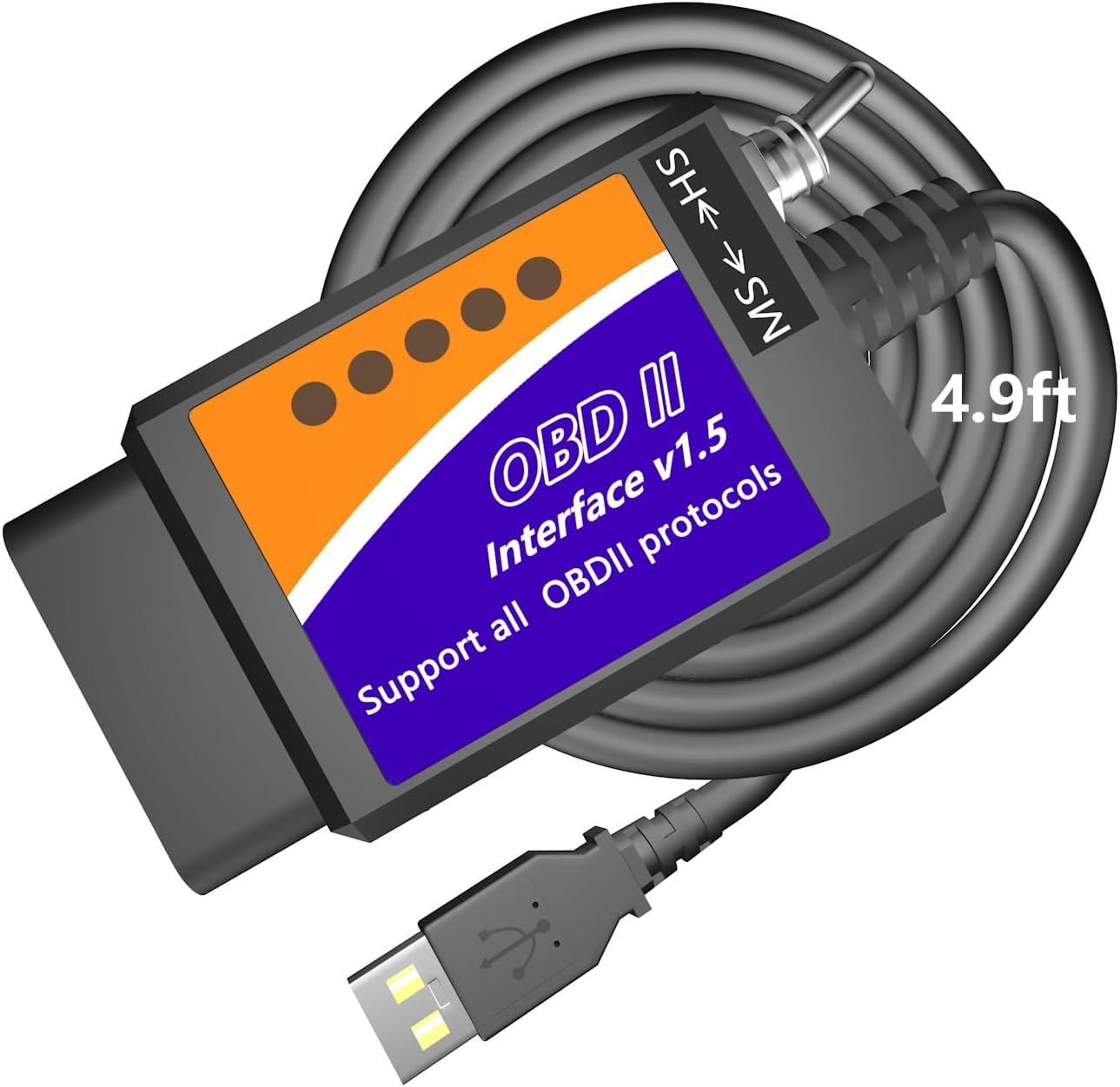
MOCATEC's USB adapter is a switched ELM327 cable made for FORScan on Ford, Lincoln, Mercury and Mazda. Its selling point is reach: a 4.9 ft lead that lets the laptop sit on your knees or the passenger seat.

  • ConnectionUSB to x86/x64 Windows XP through 11
  • Ford busesManual HS-CAN / MS-CAN toggle
  • Cable length4.9 ft
  • Ford, Lincoln, Mercury1996–2025 models; 2025–26 limited
  • Mazda1996–2022, up to 6th generation; 7th partial
  • Not forARM Windows, macOS, iPhone, Android
Works well for
  • Ford and Mazda owners who want FORScan settings on a budget
  • Anyone who found a 3 ft cable too short to sit comfortably
  • Reading brand-specific codes, including ABS and SRS lamps after a repair
  • Owners with an ordinary Intel or AMD Windows laptop
Avoid if
  • ARM-based Windows laptops and MacBooks without Windows
  • Phones and tablets of any kind
  • Owners who never want to touch a toggle switch
Check it out

Reaching the passenger seat: why the MOCATEC's 4.9 ft lead matters

Most switched FORScan cables have a lead of about 3 ft. That puts the laptop against the steering column and you bent over it, reaching down to flip the toggle whenever FORScan asks. MOCATEC fixes the ergonomics first, with a 4.9 ft lead.

The extra length sounds minor until you spend an hour configuring a car. With 4.9 ft, the laptop can rest on your knees in the driver's seat or sit on the passenger seat while you watch live data on a test drive with a helper. It also means less strain on the OBD port, since the cable is not pulled taut at an angle.

Inside, it is a switched ELM327 cable of the classic kind. The HS-CAN/MS-CAN toggle on the body moves the connection between Ford's two main networks, so FORScan can reach body and comfort modules as well as the engine.

  • HS-CAN: engine, transmission and ABS on most models.
  • MS-CAN: often the cluster, audio, climate and door modules.
  • Toggle habit: leave it on HS and move it only when FORScan prompts you.

The diagnostics side reaches past the engine. MOCATEC lists brand-specific trouble codes across modules, freeze frame data and live data in tables or graphs. After a repair, it can switch off Check Engine, ABS and SRS lamps, which a plain generic reader cannot do on most Fords.

Coverage runs from 1996 to 2025 on Ford, Lincoln and Mercury, with 2025–26 models limited. The FORScan and Ford guide explains why the toggle exists and how the two networks split up.
Details

Technical details

SpecValue
BrandMOCATEC
ModelUSBOBD
Link typeUSB, wired
Cable length4.9 ft
Bus switchBuilt-in HS-CAN / MS-CAN toggle
SoftwareFORScan (installed separately)
Computerx86/x64 Windows XP to 11
Not supportedARM-based Windows, macOS without Windows, iOS, Android
Ford, Lincoln, Mercury1996–2025 models; 2025–26 models limited
Mazda1996–2022 up to the 6th generation; 7th-generation platforms partial
DiagnosticsBrand-specific trouble codes, freeze frame, live data tables and graphs
Warning lampsClears Check Engine, ABS and SRS lamps after repairs
ConfigurationHidden factory settings, where the car has the modules
Dimensions3.54 x 1.77 x 0.98 in

Digital speedo, Sync menus, Bambi mode: what your Ford can gain

Most owners buy a FORScan cable for the settings, not the codes. MOCATEC publishes one of the longer lists of changes owners make with FORScan, from gauges to chimes. Each one depends on your car having the right factory modules.

The display and driving changes are the most popular:

  • A digital speedometer readout and transmission temperature on the cluster.
  • Different daytime running light behaviour.
  • Speedometer calibration after fitting different tire sizes.
  • Traffic Sign Recognition and Sync 2 or Sync 3 menu changes, where the hardware is fitted.
  • Programming a factory trailer brake controller.

Comfort tweaks come next:

  1. Global window opening from the key fob.
  2. Bambi mode for more information on the cluster.
  3. Remote engine start and auto-folding mirrors, where supported.
  4. Heated steering wheel held at full heat, and radio play with the engine off.
  5. Seatbelt chime, double horn honk and 12V socket timeout switched off.

MOCATEC is blunt about the limit, and it is worth repeating. The cable is a bridge between FORScan and the car. If your trim lacks the module behind a feature, no configuration will add it.

Before you change anything: connect a battery maintainer, save each module's original configuration in FORScan and write down every value you alter. Tweak lists online do not suit every build or year.

Mazda owners get the same route. Models from 1996 to 2022 up to the sixth generation are covered, with partial support on seventh-generation platforms. The car compatibility guide covers other brands.

Across the range

Compared with the field

ELM327 OBD2 adapter models by type, September 2026. Highlighted: MOCATEC USB FORScan Adapter.

An ARM laptop or a MacBook won't run it: checking your computer

The MOCATEC is made for FORScan on an ordinary Windows PC with an Intel or AMD processor. MOCATEC states outright that it will not work on ARM-based Windows, on a Mac running macOS, or on any phone or tablet. Check your laptop before you order, not after.

ARM Windows laptops have become common, and they look identical to Intel machines from the outside. Open Settings, then System and About, and read the processor line. If it names Snapdragon or says ARM-based, this cable is the wrong match.

Your computerWorks with the MOCATEC?
Windows XP to 11 on Intel or AMDYes
Windows on ARM (Snapdragon)No
Intel Mac with Boot Camp WindowsYes, through Windows
Mac on macOS onlyNo
iPhone, iPad, AndroidNo

Setup follows the usual pattern for a USB ELM327:

  1. Install FORScan for Windows; it does not come with the cable.
  2. Plug the cable into the laptop and check Device Manager for a new COM port under Ports. If a yellow warning appears, install the USB driver MOCATEC supplies.
  3. Plug into the car, set the toggle to HS and switch the ignition on.
  4. Let FORScan detect the adapter and build the module list.

Power settings matter as much as the processor. Keep the laptop on its charger, and turn off sleep and screen timeout before a long session, because a laptop that dozes off mid-write can leave a module half-configured.

An old Intel laptop that lives in the garage is a perfectly good FORScan machine. FORScan runs comfortably on modest hardware, so there is no need to risk a work machine. The ELM327 USB guide covers drivers and the Mac options in more detail.

Other picks

Three alternatives

1 Vgate vLinker FS USB
Automatic bus switching Vgate vLinker FS USB
Vgate vLinker FS USB changes between HS-CAN and MS-CAN itself and handles 12V and 24V vehicles.
  • USB cable for laptops
  • Works with Windows
  • FORScan-ready (HS/MS-CAN)
Check it out
2 OBDLink EX
FORScan team's pick OBDLink EX
OBDLink EX reaches all CAN buses at once for advanced FORScan functions and module programming.
  • USB cable for laptops
  • Works with Windows
  • FORScan-ready (HS/MS-CAN)
Check it out
3 OBDMonster ELM327 USB
Another budget toggle cable OBDMonster ELM327 USB
OBDMonster's v1.5 USB cable carries an HS/MS-CAN switch and works with ELMconfig, FoCCCus and FF2.
  • USB cable for laptops
  • Works with Windows
  • FORScan-ready (HS/MS-CAN)
Check it out

MOCATEC or an automatic-switch cable for your Ford or Mazda

The MOCATEC sits in the toggle-cable class, alongside the generic switched cables and OBDMonster. Above it are adapters that switch buses for you. Which one fits depends on how often you open FORScan and what you plan to change.

AdapterSwitchingLeadStand-out point
MOCATEC USBManual toggle4.9 ftRoom to sit comfortably; clear vehicle coverage notes
Generic switched cableManual toggleVariesLowest cost, many versions
Vgate vLinker FS USBAutomatic HS/MSStandardAbout 18V programming support
OBDLink EXElectronic, all busesStandardFORScan team's recommendation

For a weekend of comfort settings and the odd code check, the MOCATEC does the job and is more pleasant to use than a short generic lead. Its published coverage notes for Ford and Mazda also help you decide before buying.

  • Choose the MOCATEC for occasional FORScan use from a comfortable seat.
  • Choose the vLinker FS USB if you would rather never think about the switch.
  • Choose the OBDLink EX for module programming and multi-bus procedures.

Whatever you pick, the first session should be a scan and a configuration backup, nothing more. Once the backup sits safely on the laptop, the changes can start.

One more check saves disappointment on newer cars. MOCATEC flags 2025–26 Ford models as limited and seventh-generation Mazda platforms as partial, so owners of the newest vehicles should confirm their model in FORScan's own vehicle list first. For anything from the late 1990s to the early 2020s, the coverage notes are generous.

Driver questions

Compatibility questions

Does the MOCATEC work on a MacBook?

Not on macOS. It needs FORScan on x86 Windows, so a Mac only works through Windows on an Intel machine, such as Boot Camp.

Will it work on a Snapdragon Windows laptop?

No. MOCATEC states it is not compatible with ARM-based Windows.

Can it turn off ABS and SRS lights?

After a repair, yes: it reads brand-specific codes and can clear Check Engine, ABS and SRS lamps through FORScan.

Which Mazda models does it cover?

Mazda models from 1996 to 2022 up to the sixth generation, with partial support on seventh-generation platforms.

Why didn't a feature appear after coding?

Features depend on the modules your car was built with. If the hardware is missing, the setting will not work.