Best adapters
v1.5 USB cable · HS/MS-CAN switch · Windows

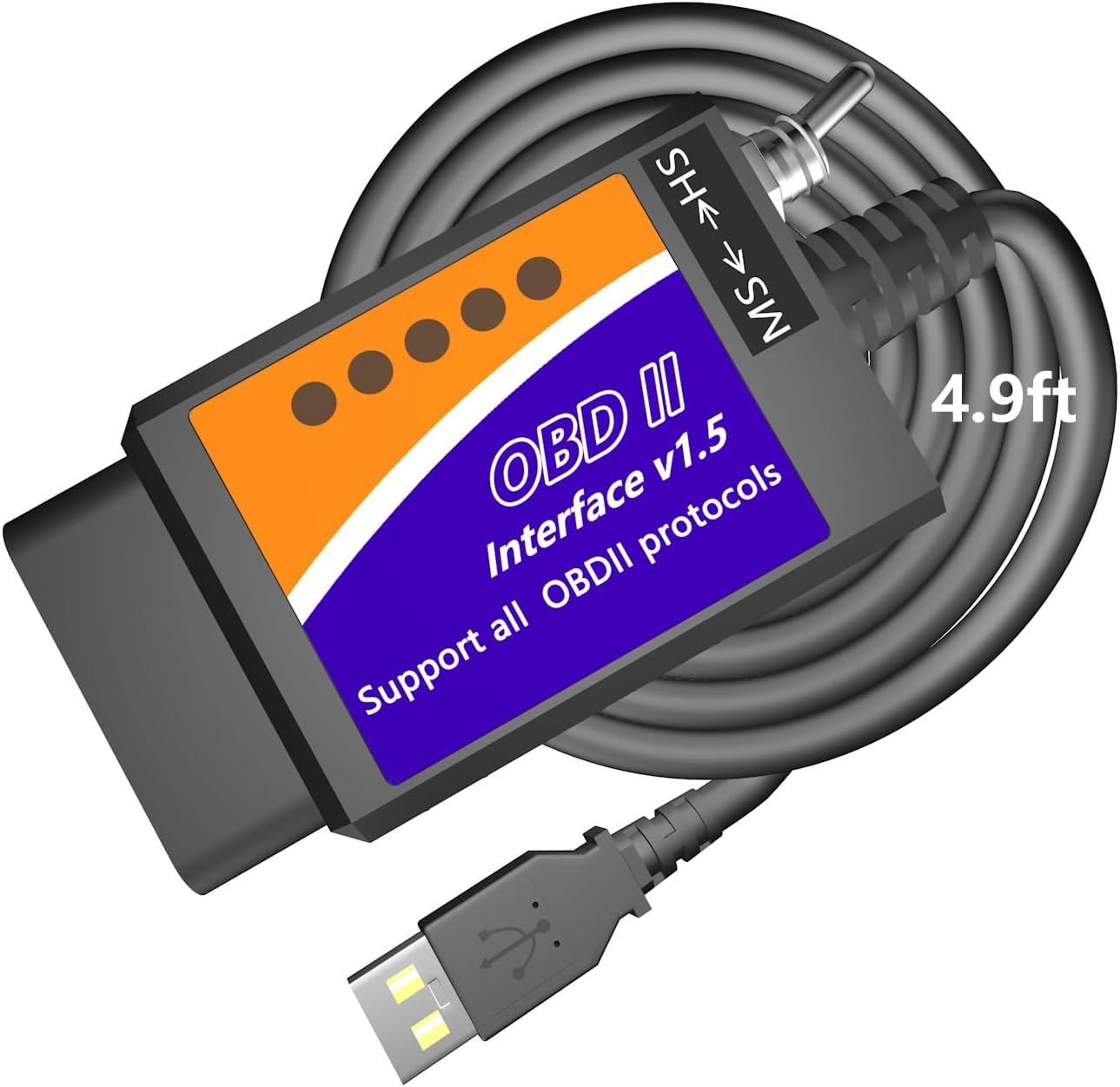
OBDMonster ELM327 USB

The OBDMonster is a budget ELM327 USB cable for Ford-family cars and F-series trucks: a v1.5 chip, a CH340T USB bridge and an HS/MS-CAN switch, in a manual-toggle version and an automatic one.

  • ConnectionUSB to Windows XP through 11
  • HardwareELM327 v1.5 chip
  • USB chipCH340T; driver installed before first use
  • Ford busesHS/MS-CAN toggle, or automatic on the second version
  • SoftwareELMconfig, FoCCCus, FF2
  • ModelMS-327
Works well for
  • F-150 and F-250 owners making comfort changes on a laptop
  • Mazda, Lincoln and Mercury owners on older models
  • Windows users who want ELMconfig, FoCCCus or FF2
  • Anyone after a cheap wired cable that reaches MS-CAN
Avoid if
  • 2019-and-newer Mazda3 and CX-30
  • Trailers, semis and phones
  • Module programming where a premium link is safer
Check it out
Listings

Ways to order it

Why Ford owners hunt for the v1.5 label on a USB cable

Clone ELM327 chips carry a version number, and bigger is not better here. Many cheap boards labelled v2.1 drop commands that older protocols and Ford software rely on. A board labelled v1.5, like the one in the OBDMonster, is the version Ford owners have long reached for.

The OBDMonster pairs that v1.5 chip with the two things a Ford job needs: a USB link to a Windows laptop and a way onto medium-speed CAN. The body and comfort modules of many Fords sit on that second network, and a plain ELM327 never sees them.

With the switch in the right position, OBDMonster names a familiar set of changes, provided your car has the modules for them:

  • Global window opening from the key fob.
  • Bambi mode on the instrument cluster.
  • Mirrors that tilt in reverse, and tire size correction.
  • Perpendicular park and secure idle, where fitted.
  • Heated steering wheel settings.
  • No double horn honk and no door-ajar chime.

It also works as an ordinary OBD2 code reader on any supported car. The protocol list covers J1850 PWM for late-1990s Fords as well as HS-CAN, MS-CAN, HS-CAN2 and HS-CAN3 for later models.

Coverage notes are specific. OBDMonster names the F-150 and F-250 among Ford trucks, plus the Ranger, Transit, Mustang, Explorer, Edge, Fusion, Mondeo, Kuga, C-Max and S-Max, and claims about 99% of models built after 2000. The v1.5 versus v2.1 comparison explains the version story in full.
Details

Technical details

SpecValue
BrandOBDMonster
ModelMS-327
Link typeUSB, wired
HardwareELM327 v1.5 chip
USB-serial chipCH340T
Bus switchManual HS-CAN / MS-CAN toggle; automatic on version B08SBGVGKC
ProtocolsAll OBD2 protocols, plus J1850 PWM, HS-CAN, MS-CAN, HS-CAN2, HS-CAN3
ComputerWindows XP, Vista, 7, 8, 10, 11
iPhone / AndroidNo
Named softwareELMconfig, FoCCCus, FF2
Vehicles12V Ford cars and F-series trucks, Mazda, Lincoln, Mercury
Stated coverageAbout 99% of models after 2000 and around 92% after 1996
Not supported2019+ Mazda3 and CX-30; trailers and semis
In the boxOBD2 cable

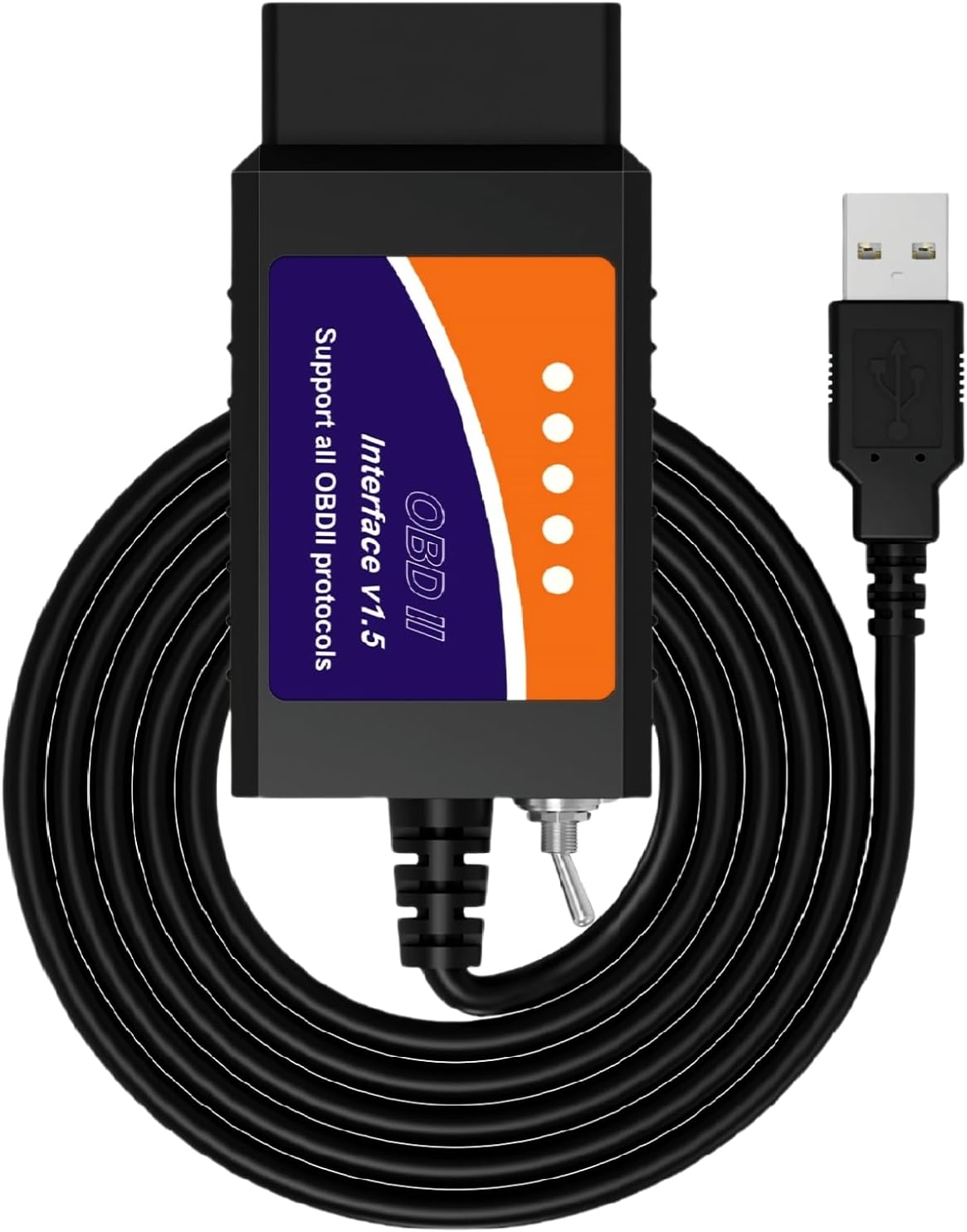
Toggle or auto switch: the two OBDMonster cables side by side

OBDMonster sells the cable in two forms. The original has a manual HS/MS-CAN toggle on the body. The second version switches between the two networks automatically and is sold as a Windows-only USB scanner.

PointToggle versionAuto-switch version
SwitchingYou flip it when the software asksChanges over by itself
Chip labelv1.5 statedNot stated
ComputerWindowsWindows only
Common mistakeSwitch left on MS, modules vanishNone from the switch

The toggle version is the classic design that ELMconfig and FoCCCus guides are written around. You leave the switch on HS for normal scanning and move it to MS when the software prompts you. It works well once you know the routine, and the physical switch gives you a clear picture of which network the cable is talking to at any moment.

Both versions share the same USB approach and the same Windows software. Neither involves a phone app: the programs run on the laptop, and the cable simply carries their requests to the car and the answers back.

The automatic version removes that step, which suits owners who find the switch fiddly or forget where they left it. It does not state its chip label, so buyers who want the v1.5 board by name should pick the toggle cable.

  1. Pick the toggle version if you follow a guide written for switched v1.5 cables.
  2. Pick the auto-switch version if you want fewer steps during a scan.
  3. Pick neither for module programming; a premium adapter suits that better.

FORScan also accepts switched ELM327 cables of this kind, even though OBDMonster names only ELMconfig, FoCCCus and FF2. The FORScan guide covers how the program handles the switch.

Across the range

Compared with the field

ELM327 OBD2 adapter models by type, September 2026. Highlighted: OBDMonster ELM327 USB.

Laptop first, car second: the CH340T driver, then ELMconfig

OBDMonster puts it in capitals on the box: install the CH340T USB driver before connecting to the car. The CH340 is a low-cost USB-to-serial bridge that makes the cable appear as a COM port. Without its driver, Windows sees an unknown device and every program reports no adapter.

  1. Download the CH340 driver package from WCH, the chip's maker, and install it.
  2. Plug the cable into the laptop and open Device Manager.
  3. Under Ports (COM & LPT), look for USB-SERIAL CH340 and note its COM number.
  4. Download ELMconfig, FoCCCus or FF2 from its official website.
  5. At the car, set the toggle to HS, switch the ignition on and connect using that COM port.

The CH340 has a mixed reputation from the days of unsigned drivers, but current packages from WCH are signed and install cleanly on Windows 10 and 11. Most driver trouble now comes from discs or download sites offering outdated files.

No response from the car? Check the switch position first, then the ignition. A cable on MS with the software asking for engine data looks exactly like a dead adapter.

Mac owners face the same obstacle as with any Ford cable. The cable is fine; ELMconfig, FoCCCus and FF2 are Windows programs. A spare Windows laptop in the garage is the easiest fix, and older machines run these programs happily.

For testing the link by hand, a terminal and a few AT commands tell you whether the chip answers. The ELM327 commands page lists them, and the USB guide compares CH340 and FTDI cables.

Other picks

Three alternatives

1 MOCATEC USB FORScan Adapter
Toggle cable, longer lead MOCATEC USB FORScan Adapter
MOCATEC's switched USB adapter adds a 4.9 ft lead and detailed Ford and Mazda coverage notes.
  • USB cable for laptops
  • Works with Windows
  • FORScan-ready (HS/MS-CAN)
Check it out
2 Vgate vLinker FS USB
Automatic switching, 24V too Vgate vLinker FS USB
Vgate vLinker FS USB switches HS/MS-CAN on its own and is optimised for FORScan.
  • USB cable for laptops
  • Works with Windows
  • FORScan-ready (HS/MS-CAN)
Check it out
3 OBDLink EX
For module programming OBDLink EX
OBDLink EX reaches every Ford CAN bus at once and is recommended by the FORScan team.
  • USB cable for laptops
  • Works with Windows
  • FORScan-ready (HS/MS-CAN)
Check it out

A new Mazda3 or CX-30, a semi, a phone: where the OBDMonster stops

Budget cables earn trust by being clear about their limits, and OBDMonster is. It names the 2019-and-newer Mazda3 and CX-30 as not yet supported, and it rules out trailers and semis. It is a 12V tool for cars and light trucks.

The other limits come with the format. It is a USB cable for Windows, so phones and tablets are out. A manual toggle cable also moves data more slowly than an adapter that switches electronically, which matters most on long configuration reads and module programming.

Your planOBDMonster?Better fit
Comfort settings on an F-150Yes—
Codes on an older MazdaYes—
2019+ Mazda3 or CX-30NoCheck FORScan's list, then a premium adapter
Module programmingPossible, riskierOBDLink EX
Phone useNovLinker FS Bluetooth

Tick these off first:

  • Confirm your model year is not a 2019+ Mazda3 or CX-30.
  • Make sure you have a Windows laptop you are happy to take to the car.
  • Decide between the toggle and auto-switch versions.
  • Plan a battery maintainer for any session that writes settings.

Treat the first session as a rehearsal. Scan every module, save the original configuration to the laptop and change nothing until that backup is safe. Then make one change at a time, test it on the car and note the old value beside the new one, so any tweak can be undone in a minute.

For a similar cable with a longer lead, the MOCATEC adapter is the nearest rival.

Driver questions

Compatibility questions

Does the OBDMonster cable work with FORScan?

OBDMonster names ELMconfig, FoCCCus and FF2. FORScan accepts switched ELM327 cables of this type too; set the toggle when the program asks.

Which driver does the OBDMonster need?

The CH340T USB driver, installed before you connect to the car.

Does it work on a 2020 Mazda3?

No. OBDMonster states the 2019-and-newer Mazda3 and CX-30 are not yet supported.

How do the two OBDMonster versions differ?

One has a manual HS/MS-CAN toggle and a stated v1.5 chip; the other switches between the networks automatically.

Does it run on Windows 11?

Yes. OBDMonster lists Windows XP through 11.